
The device and platform
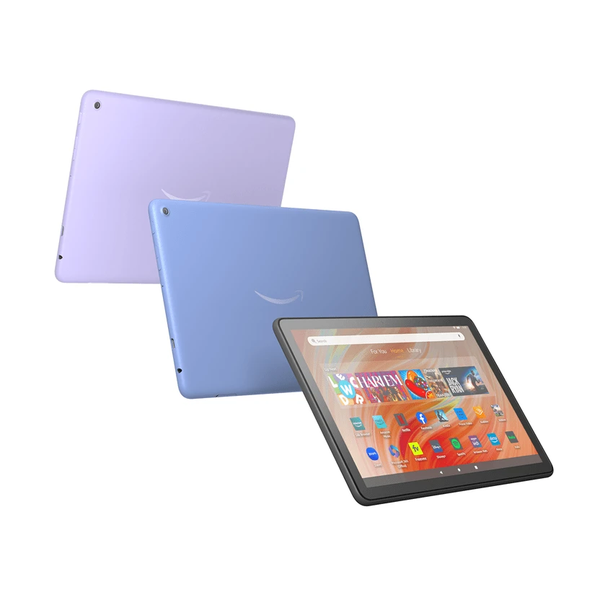
Find the actual tablet model
Amazon’s identification instructions use Settings, Device Options, and the Device Model or About Fire Tablet information. Record the full generation as well as the family name. A Fire HD label or product photograph alone can leave out the model difference needed for software requirements.
Keep that information with the installed system version when asking about a player. A Fire TV tutorial is a television workflow, while the tablet normally uses touch controls and a different screen layout. The Fire name does not make those two installations the same task.
Use the tablet’s store and library
Amazon’s tablet installation help points to Games & Apps or the Apps/Games application, where the user can download an item from the Library or search the Store. Use the actual tablet route and inspect the intended app’s developer and requirements.
Check whether the device is using the intended profile and whether legitimate parental controls or purchase approvals affect the action. Do not disable household restrictions simply because an app is unavailable. A managed or child-profile question should be addressed through the responsible account holder.
Do not confuse the Android-store change with Fire support
Amazon’s 2025 announcement ended Amazon Appstore support on Android mobile devices, while explicitly retaining support on Fire tablet, Fire TV and Fire TV built-in products. The announcement’s scope matters: a change for ordinary Android mobile devices should not be restated as closure of the Fire tablet store.
That continued store surface does not guarantee that a specific player is offered for every tablet generation or market. Read the actual listing and the developer’s current requirements. An old purchased application and its current availability can also be different questions.
Configure the media route after installation
Open the genuine player and inspect the source controls it actually provides. A desktop network-stream instruction or a TV portal tutorial may use different menus and account formats. Use the tablet player’s own documentation rather than filling whichever field looks most similar.
Keep store credentials and service access separate. Downloading a player does not supply programme access or activate an IPTV Europe plan. If a trial is being discussed, confirm the actual player and account route before treating installation as the completed setup.
Match troubleshooting to the symptom
Amazon’s app-error help distinguishes force closing, restarting, clearing app information and reinstalling as possible actions, with generation-specific help for some controls. These actions have different effects; preserve legitimate private setup information before removing data or an application.
If the app runs but only one item fails, record that item and visible error rather than repeatedly reinstalling. If the application freezes or refuses to open, use the tablet’s matching app support and developer information. A clear report names the model, player version and the stage that fails.
Questions answered
Is a Fire TV setup tutorial automatically correct for a Fire tablet?
No. Match the actual device, generation and application interface.
Did the 2025 Android Appstore change close the Fire tablet store?
Amazon’s announcement explicitly separated Android mobile devices from continuing Fire tablet support.
Does reinstalling a player preserve its local configuration?
Do not assume so. Understand the action and preserve legitimate private setup information before removing data or the app.
Sources & further reading
Official references for the subjects discussed. Service terms and device software can change.
- https://digprjsurvey.amazon.com/csad/help/node/G4JTV3J2UKA7JFCS
- https://digprjsurvey.amazon.com/csad/help/node/G89P5HPD7RQFPB2A
- https://digprjsurvey.amazon.com/csad/help/node/GJDXXK9NZ6FMB8PJ
- https://digprjsurvey.amazon.com/csad/help/node/GLFHSDG8Q4YM6ME5
- https://developer.amazon.com/apps-and-games/blogs/2025/02/upcoming-changes-to-amazon-appstore-for-android-devices-and-coins-program