Practical handbook
Media formats: codecs, containers and decoding
A filename, encoded track and supported player describe different parts of a media file. Read the actual formats before changing the setup.
Read the guide →IPTV Europe
Practical handbooks bring related questions together, with clear distinctions and official references.
1069 guides
No guides match. Clear the search or choose another subject.
Practical handbook
A filename, encoded track and supported player describe different parts of a media file. Read the actual formats before changing the setup.
Read the guide →Practical handbook
Follow the picture from its source through the output mode, HDMI path and display. Resolution, motion and dynamic range need separate checks.
Read the guide →Practical handbook
Trace the selected track and output route before changing sound settings. Missing sound, the wrong language and poor synchronization are different symptoms.
Read the guide →Practical handbook
Text tracks differ in language, timing, delivery and readability. Separate programme subtitles from player menus and burned-in text.
Read the guide →Practical handbook
Playlists, media segments, live feeds, on-demand items and replay controls describe different parts of the viewing experience.
Read the guide →Practical handbook
Keep the device and programme consistent while comparing the local connection. A controlled observation is more useful than changing every setting.
Read the guide →Practical handbook
Find the stage where the request fails: source entry, authorization, one missing item or playback after loading.
Read the guide →Practical handbook
Get useful help without exposing the private URLs, account fields or codes that can grant access.
Read the guide →Practical handbook
Check the app identity, device platform and store context before clearing storage or changing access settings.
Read the guide →Practical handbook
An open webpage is not yet playable media. Browser permission, readiness, source formats and device capabilities are separate checks.
Read the guide →Practical handbook
Casting, mirroring and native television apps use different routes. Start with the supported sender and receiver, then check local discovery.
Read the guide →Practical handbook
Keep bits, bytes, bitrate and total data separate when planning a viewing session or comparing a connection.
Read the guide →Practical handbook
A programme guide needs the correct channel edition, date and time zone. Schedule information and replay availability are separate.
Read the guide →Practical handbook
Turn a broad playback complaint into a precise description of the action, result and one useful comparison.
Read the guide →Practical handbook
Programme identity, regional context, source resolution and account access each require their own evidence.
Read the guide →Device setup
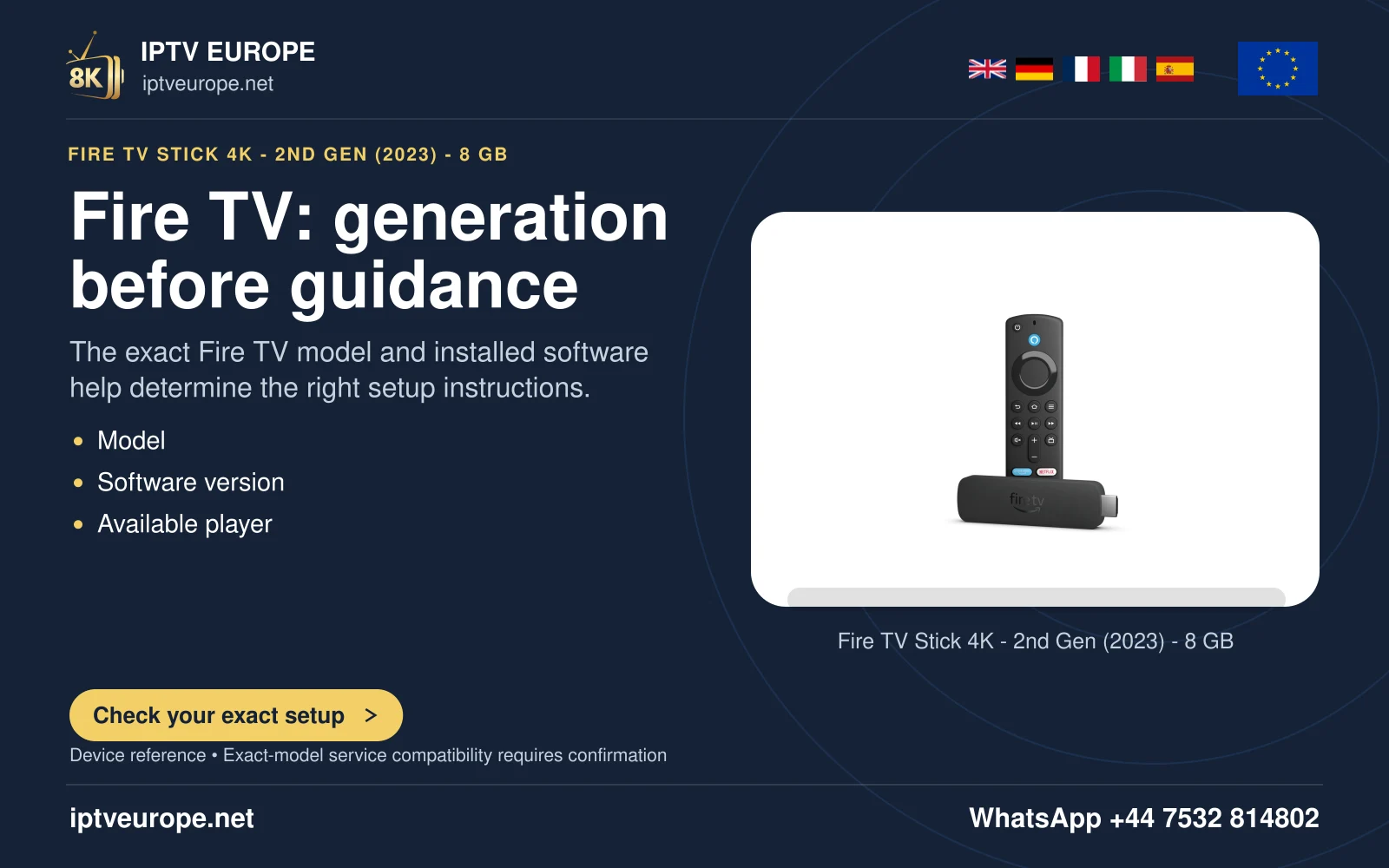
An Android-based Fire OS device needs a player actually offered for its model and store. Confirm the model before following installation instructions.
Read the guide →Device setup
Google TV provides a television interface and an app route; install a supported TV player from its real listing and configure the media source separately.
Read the guide →Device setup
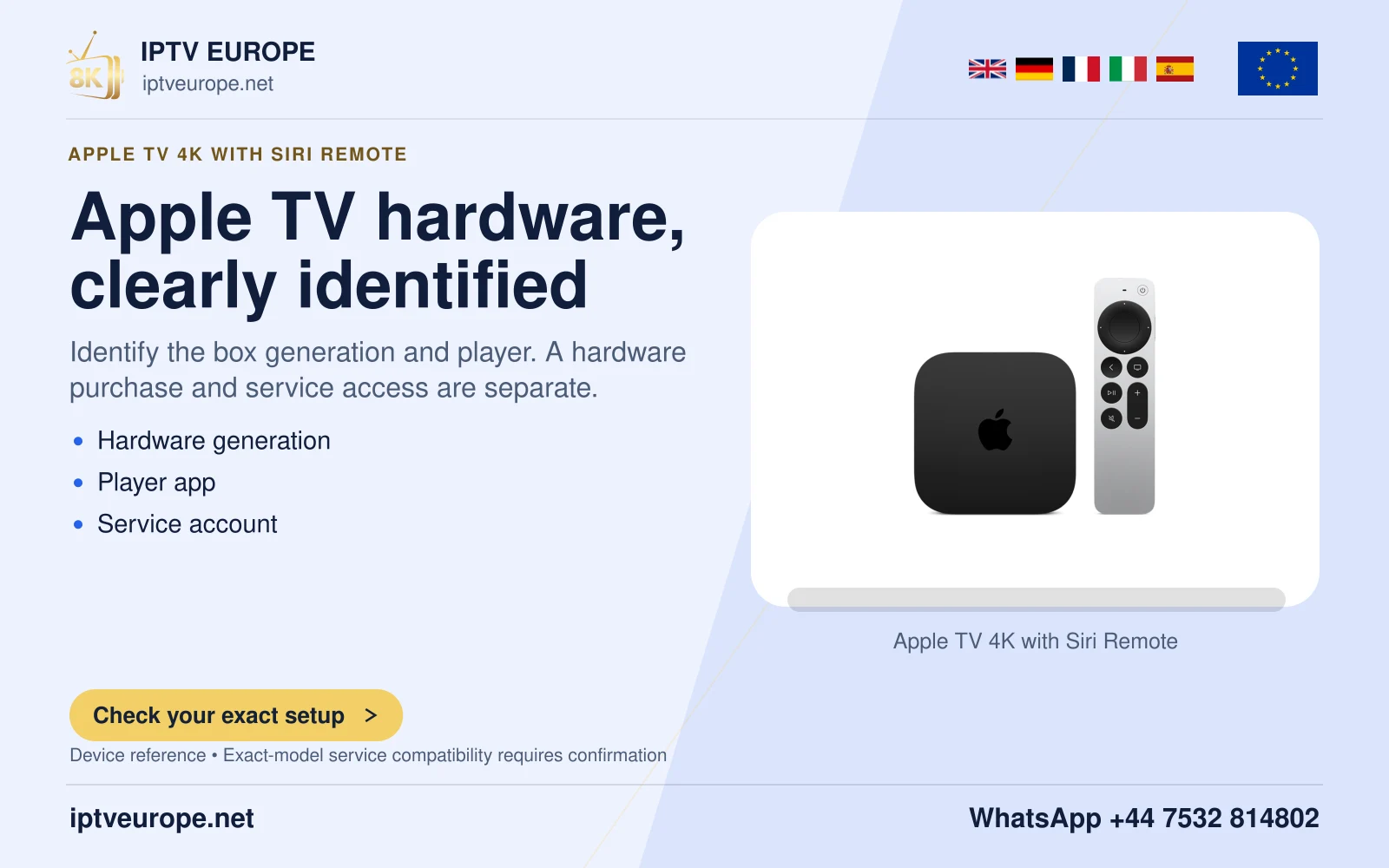
Apple TV 4K uses tvOS and the App Store. It does not use an Android APK. Installing a player and adding a compatible media source are separate tasks.
Read the guide →Device setup
Samsung TV uses its own TV app store. Check the exact model, region and Tizen/One UI version before following menu instructions.
Read the guide →Device setup
LG webOS installs TV apps through its store. The route varies by webOS generation; use the real LG Services Country and current listing.
Read the guide →Device setup
Android TV requires a television-compatible application. The Android name alone does not establish the app, service or remote-control experience.
Read the guide →Device setup
A desktop media player can open supported network media, but its format and DRM support remain separate from the operating system.
Read the guide →Device setup
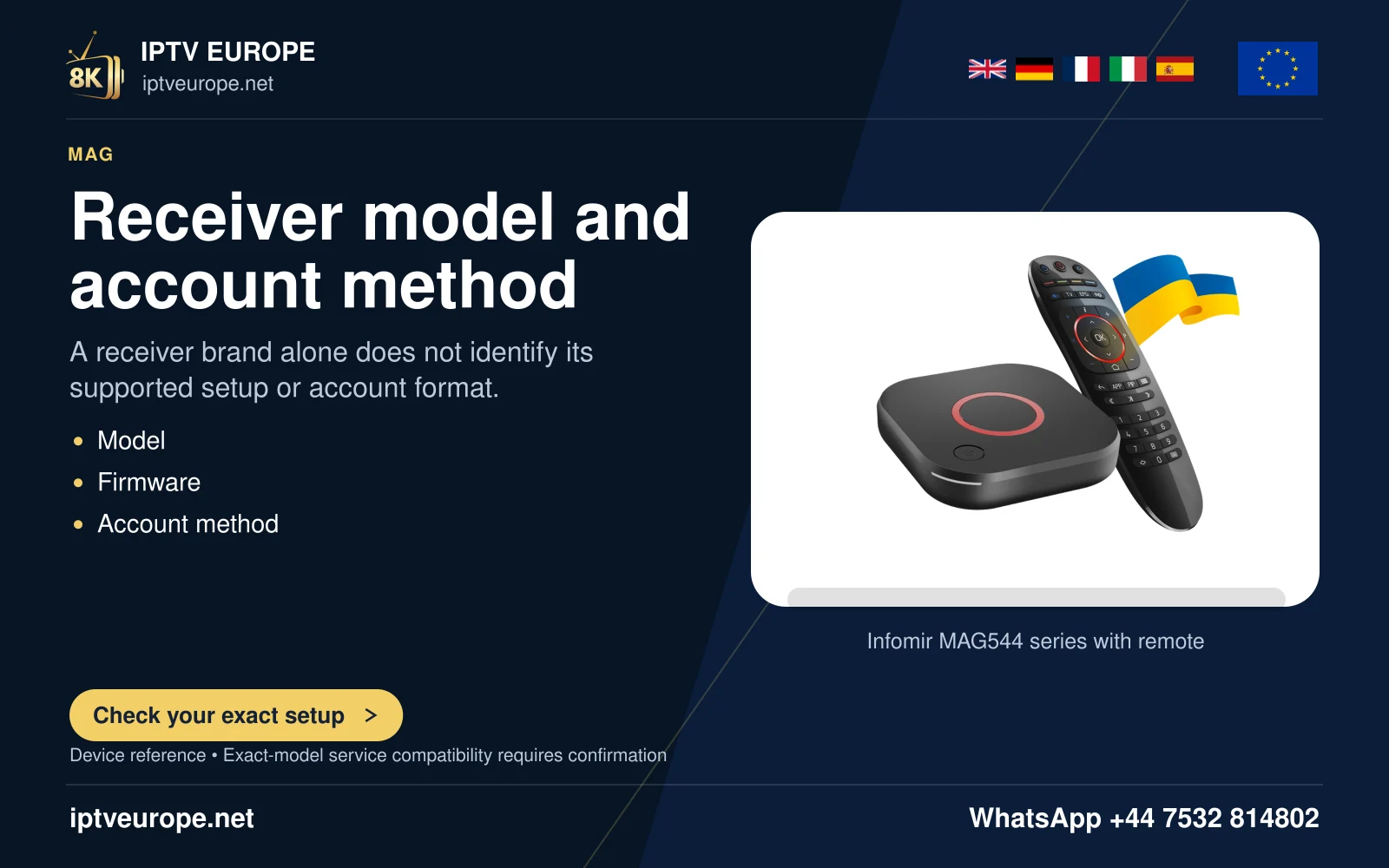
MAG544 is a Linux set-top-box family. Its portal/provisioning workflow differs from Google Play or Android APK installation.
Read the guide →Device setup
MYTVOnline 3 is Formuler’s media client, not a television subscription. Its availability and version depend on the actual Formuler hardware/software.
Read the guide →Device setup
Google Cast sends supported media from a sender app or Chrome to a compatible receiver. It does not mean the same application is installed on the receiver.
Read the guide →Device setup
AirPlay video streaming and Screen Mirroring are different routes. A supported receiver and application are required; some video apps do not permit AirPlay.
Read the guide →OTT & broadcaster guides
3Cat combines Catalan television, radio and on-demand viewing.
Read the guide →OTT & broadcaster guides
5 brings the former Channel 5 and My5 identities under one brand.
Read the guide →OTT & broadcaster guides
AMC+ can be bought directly or as an extra channel inside another video platform.
Read the guide →OTT & broadcaster guides
The Apple TV name can describe a streaming service, an app or a physical television box.
Read the guide →OTT & broadcaster guides
ARD Mediathek offers on-demand programmes and ARD livestreams without a required account.
Read the guide →OTT & broadcaster guides
ARD Plus is an optional commercial archive choice for selected classics, crime programmes and children’s material, including titles no longer available in ARD Mediathek.
Read the guide →OTT & broadcaster guides
ARTE centres on documentaries, cinema, concerts, series and cultural programmes.
Read the guide →OTT & broadcaster guides
atresplayer brings Atresmedia television and on-demand programmes into one platform.
Read the guide →OTT & broadcaster guides
BBC iPlayer is the BBC’s television streaming and catch-up identity.
Read the guide →OTT & broadcaster guides
BFI Player offers several ways into independent film: a subscription selection, individual rentals and free material.
Read the guide →OTT & broadcaster guides
CANAL+ is used across television subscriptions and the CANAL+ app, with different country offers.
Read the guide →OTT & broadcaster guides
CANAL VOD offers individual rentals and purchases through its website and supported CANAL+ viewing surfaces.
Read the guide →OTT & broadcaster guides
Channel 4’s app combines catch-up and boxset viewing with live television.
Read the guide →OTT & broadcaster guides
Crunchyroll’s show details can list audio and subtitle languages, but the list should not be read as a guarantee for every season.
Read the guide →OTT & broadcaster guides
Curzon Home Cinema extends the cinema’s film selection to home viewing through individual rentals.
Read the guide →OTT & broadcaster guides
Disney+ has a multilingual interface, but that is not a promise that every programme has every audio or subtitle track.
Read the guide →OTT & broadcaster guides
Vudu became Fandango at Home in 2024.
Read the guide →OTT & broadcaster guides
filmfriend uses the library as the viewing route.
Read the guide →OTT & broadcaster guides
Filmin is useful for a film-first shortlist, but its catalogue separates subscription viewing from rental.
Read the guide →OTT & broadcaster guides
filmingo offers subscriptions in Switzerland, Liechtenstein, Austria and Germany, with the available films changing by location.
Read the guide →OTT & broadcaster guides
HBO Max subscriptions can be billed through different providers.
Read the guide →OTT & broadcaster guides
ITVX is the streaming destination for ITV programmes, live channels and on-demand viewing.
Read the guide →OTT & broadcaster guides
Distinguish JioHotstar’s India launch, UK/Canada/Singapore transition and the MENA route through STARZPLAY.
Read the guide →OTT & broadcaster guides
Joyn’s free and paid experiences should be compared as separate products.
Read the guide →OTT & broadcaster guides
Kanopy is reached through participating libraries and educational institutions, so the institution is an essential part of the viewing route.
Read the guide →OTT & broadcaster guides
LaCinetek builds its film-discovery approach around selections by filmmakers.
Read the guide →OTT & broadcaster guides
M6+ combines group television, replays and additional paid products.
Read the guide →OTT & broadcaster guides
MagentaTV’s independent German app offer can run over an internet connection from another provider.
Read the guide →OTT & broadcaster guides
Mitele became Mediaset Infinity in Spain in 2025.
Read the guide →OTT & broadcaster guides
MGM+ can be reached through Prime Video and other distributors as well as a standalone app in its stated territory.
Read the guide →OTT & broadcaster guides
Molotov’s terms distinguish the free basic account from paid television offers.
Read the guide →OTT & broadcaster guides
Movistar Plus can be used through an independent streaming offer as well as a wider connectivity bundle.
Read the guide →OTT & broadcaster guides
MUBI describes itself as a streaming service, curator, producer and distributor.
Read the guide →OTT & broadcaster guides
Amazon’s current India integration announcement introduces MX Player by Prime Video on Android.
Read the guide →OTT & broadcaster guides
Netflix brings films and television into a subscription app, but the account, plan and programme catalogue are different parts of the experience.
Read the guide →OTT & broadcaster guides
NOW’s UK service separates entertainment, cinema and sports interests into membership choices.
Read the guide →OTT & broadcaster guides
Paramount+ uses different subscription choices across markets.
Read the guide →OTT & broadcaster guides
Peacock’s service terms describe a United States viewing context, including its territories and possessions.
Read the guide →OTT & broadcaster guides
Plex has more than one job.
Read the guide →OTT & broadcaster guides
Pluto TV is free advertising-supported streaming with scheduled channels and on-demand films or shows.
Read the guide →OTT & broadcaster guides
Prime Video places several kinds of viewing in one interface.
Read the guide →OTT & broadcaster guides
Rakuten TV separates renting, buying, free on-demand viewing and linear live television.
Read the guide →OTT & broadcaster guides
RTL+ offers several viewing products, including a Basic choice in its current terms.
Read the guide →OTT & broadcaster guides
RTVE Play is the free live and on-demand destination that replaced A la Carta.
Read the guide →OTT & broadcaster guides
S4C Clic is a useful starting point for Welsh-language drama, factual programmes and sport.
Read the guide →OTT & broadcaster guides
ServusTV On brings together broadcaster programmes, online exclusives and themed streams.
Read the guide →OTT & broadcaster guides
Showmax is a retired streaming service.
Read the guide →OTT & broadcaster guides
SkyShowtime combines Hollywood and local productions for a defined group of European markets.
Read the guide →OTT & broadcaster guides
Sooner combines a subscription selection with separately offered film rentals.
Read the guide →OTT & broadcaster guides
STARZPLAY’s current regional description centres on the Middle East and North Africa.
Read the guide →OTT & broadcaster guides
STV Player combines on-demand programmes with live viewing, but those two routes do not have identical geographic rules.
Read the guide →OTT & broadcaster guides
TF1+ brings programmes and live television into a broadcaster streaming platform.
Read the guide →OTT & broadcaster guides
The Roku Channel is a streaming destination distinct from the Roku account or a Roku-branded device.
Read the guide →OTT & broadcaster guides
Tivify distinguishes a selection available without registration from Free, Plus and Premium offers.
Read the guide →OTT & broadcaster guides
Tubi provides an advertising-supported catalogue in a published set of territories that includes the United Kingdom.
Read the guide →OTT & broadcaster guides
U is the streaming destination previously called UKTV Play.
Read the guide →OTT & broadcaster guides
Viaplay’s current corporate product page names Sweden, Norway, Denmark, Finland and Iceland as its streaming markets.
Read the guide →OTT & broadcaster guides
wedotv combines free streaming films, series and live television with thematic channels.
Read the guide →OTT & broadcaster guides
WOW’s German offer separates films and series from live sport.
Read the guide →OTT & broadcaster guides
YouTube Premium enhances the YouTube experience; it is not the same product as YouTube TV.
Read the guide →OTT & broadcaster guides
YouTube TV is a US live-television product with home-area network availability.
Read the guide →OTT & broadcaster guides
Zattoo’s official guidance names Germany, Austria and Switzerland as its regular regions of use.
Read the guide →OTT & broadcaster guides
ZDF’s streaming portal is the successor to the ZDFmediathek identity.
Read the guide →Streaming architecture & connection diagnosis
Understand the separate manifest, segment, decoding and access stages before interpreting a segmented-streaming failure.
Read the guide →Streaming architecture & connection diagnosis
Separate media decoding, protected-playback support and the account’s actual entitlement without disabling security or inventing compatibility.
Read the guide →Streaming architecture & connection diagnosis
Understand why a router’s IPTV or IGMP setting is not a universal fix for an internet-streaming application.
Read the guide →Streaming architecture & connection diagnosis
Distinguish a name-resolution problem from a connection, secure-session, account or media failure before changing network settings.
Read the guide →Streaming architecture & connection diagnosis
Report a dual-stack connection problem without treating permanent IPv6 disabling as a universal streaming fix.
Read the guide →Broadcast channel guides
France 24 operates French, English, Arabic and Spanish news channels. Match the actual feed before changing subtitle or audio settings.
Read the guide →Broadcast channel guides
Use the edition, date and UTC label on DW’s programme guide before adjusting an electronic programme guide or assuming a show is missing.
Read the guide →Broadcast channel guides
Identify TV5MONDE’s regional television feed, then decide whether you need that live schedule or a title on TV5MONDEplus.
Read the guide →Broadcast channel guides
Choose the English television service deliberately instead of treating every Al Jazeera page, clip or network channel as one identical feed.
Read the guide →Broadcast channel guides
Distinguish the English international television service, multilingual app material and the Japanese-language overseas channel.
Read the guide →Broadcast channel guides
Keep TRT World’s English television identity separate from the wider TRT portfolio, a programme clip and a different digital service.
Read the guide →Broadcast channel guides
Match CNN International, the provider connection and the applicable app product instead of treating every CNN sign-in as the same entitlement.
Read the guide →Broadcast channel guides
Choose the actual Euronews edition and viewing mode instead of treating a multilingual network as one video with every audio option.
Read the guide →Broadcast channel guides
Distinguish Rai 3’s antenna region from the internet-delivered TGR edition on supported hybrid televisions.
Read the guide →Broadcast channel guides
Find the intended Lokalzeit live edition or complete previous bulletin without relying on WDR’s shared channel name.
Read the guide →Broadcast channel guides
Distinguish Hamburg Journal, Hallo Niedersachsen, Nordmagazin and Schleswig-Holstein Magazin within NDR’s shared schedule.
Read the guide →Broadcast channel guides
Resolve a Bundesland selection before comparing ORF 2 with ORF 2 Europe or assuming a missing programme is a fault.
Read the guide →Broadcast channel guides
Choose the correct RTP island service, dated television bulletin and live or repeated slot before converting its time.
Read the guide →Broadcast channel guides
Match the international service and viewing-area programme grid instead of assuming La 1’s domestic episode or start time.
Read the guide →Broadcast channel guides
Match a TVP3 regional station, local news edition and shared programme before comparing video or fixture listings.
Read the guide →Broadcast channel guides
Read the Teema and Fem markers, actual programme and dated guide before searching for a supposedly missing second channel.
Read the guide →Broadcast channel guides
Read SRF info’s own programme rather than expecting a complete copy of SRF 1, SRF zwei or one universally clear satellite feed.
Read the guide →Broadcast channel guides
Find the linear France 4 service and distinguish children’s programmes, cultural performances and their original recording dates.
Read the guide →Broadcast channel guides
Separate the completed satellite SD change from 3sat’s HD service, programme dates and individual cultural recordings.
Read the guide →Broadcast channel guides
Match the actual speech, debate or press conference before choosing a phoenix recording or assuming the whole block is one event.
Read the guide →Broadcast channel guides
Distinguish KBS World from KBS Korea, the programme’s language markers and a different regional television appointment.
Read the guide →Broadcast channel guides
Keep the World television channel, KST or GMT/UTC labels and the actual programme edition together.
Read the guide →Broadcast channel guides
Use the actual CGTN channel and programme when Africa, America or another production label appears in a listing.
Read the guide →Broadcast channel guides
Match the intended CNA television grid and distinguish news bulletins, documentaries and CNA938 audio.
Read the guide →Broadcast channel guides
Use the language, original broadcaster and edition to find WorldWatch news online after September 2026.
Read the guide →Broadcast channel guides
Select the ABC TV state stream for local evening news and distinguish it from national ABC NEWS or radio.
Read the guide →Broadcast channel guides
Distinguish the one-hour delayed channel from TVNZ+ and understand why an EPG recording may select the original airing.
Read the guide →Broadcast channel guides
Match a VRT Canvas programme and episode rather than assuming every VRT, Sporza or documentary-branded item uses one channel.
Read the guide →Broadcast channel guides
Find the particular signed RTBF news edition, documentary or linear appointment without assuming every event is on La Trois.
Read the guide →Broadcast channel guides
Identify the extra channel, parliamentary event and current signed-news route instead of following an old programme favourite.
Read the guide →Broadcast channel guides
Use the ICI bulletin’s actual territory and recording scope instead of confusing editorial editions with receiver channels.
Read the guide →Broadcast channel guides
Distinguish Studio ČT24, a specific event, an archive production and the programme’s available captions.
Read the guide →Broadcast channel guides
Identify House or Senate proceedings and distinguish the original event from a television airing, excerpt or historical interview.
Read the guide →Broadcast channel guides
Identify DD India’s weekly international programmes, a dated Economic Brief or Indian Diplomacy edition and the appropriate live route.
Read the guide →Broadcast channel guides
Resolve the legacy World name, distinguish Pakistan TV Satellite from Digital and match World This Morning or The Newsroom by date and duration.
Read the guide →Broadcast channel guides
Match HRT’s English television news with the correct dated edition, retaining the separate radio route and the age of older HRT4 schedule announcements.
Read the guide →Broadcast channel guides
Read OS, TS and GS in TG4 listings and distinguish onscreen translation, optional captions and Irish text.
Read the guide →Broadcast channel guides
Use Cartlann TG4’s research roles, catalogue fields and workspaces to find Irish-language broadcast material.
Read the guide →Broadcast channel guides
Search TG4’s Gradam Ceoil archive by performer, music and text while keeping the performance context.
Read the guide →Broadcast channel guides
Match TG4 learning levels and programme formats to a manageable listening and discussion session.
Read the guide →Broadcast channel guides
Plan Irish-language children’s viewing around the dedicated Cúla4 channel and its online programme choices.
Read the guide →Broadcast channel guides
Distinguish Gaelic news, European current affairs and documentary strands, with the live channel’s subtitle arrangement.
Read the guide →Broadcast channel guides
Use LearnGaelic’s BBC ALBA clips, Gaelic transcription, English translation and dictionary for focused study.
Read the guide →Broadcast channel guides
Find the television programme or radio recording behind a legacy EITB Nahieran reference.
Read the guide →Broadcast channel guides
Distinguish Makusi streaming profiles, age settings and club membership when preparing family viewing.
Read the guide →Broadcast channel guides
Choose NRK’s live sign-language channel or an available signed programme recording.
Read the guide →Broadcast channel guides
Separate audio description of pictures from spoken translation of subtitles on NRK.
Read the guide →Broadcast channel guides
Find SVT Play’s subtitle, spoken-text, description and signing choices without confusing the player menus.
Read the guide →Broadcast channel guides
Separate public leisure viewing from UR Play’s education login, teaching resources and programme windows.
Read the guide →Broadcast channel guides
Use Yle’s easy-language news and related explainers for a focused viewing session.
Read the guide →Broadcast channel guides
Understand Yle’s documented voice-subtitle and audio-description choices before changing programme language.
Read the guide →Broadcast channel guides
Use SVT’s archive selection, programme information and rotating windows to choose an older television item.
Read the guide →Broadcast channel guides
Find ETV, ETV2 and ETV+ programmes after ERR’s app migration, with the guide and catalogue kept distinct.
Read the guide →Broadcast channel guides
Choose LRT Mediateka, EPIKA or the audio library before narrowing a title and date search.
Read the guide →Broadcast channel guides
Locate LSM’s online cultural transmissions and distinguish full recordings from clips and audio items.
Read the guide →Broadcast channel guides
Follow East Belgian video news after BRF’s 2026 move to a weekly linear magazine.
Read the guide →Broadcast channel guides
Choose between Telesguard, Cuntrasts and Minisguard and retain the original Romansh programme identity.
Read the guide →Broadcast channel guides
Use Play RSI’s subtitle filter and item markings to build a usable Italian-language viewing shortlist.
Read the guide →Broadcast channel guides
Use programme, collection and cross-media search in RTP’s public archive without treating every result as a complete television episode.
Read the guide →Broadcast channel guides
Find RTP’s described presentation on cable, terrestrial television or RTP Play and recheck it after a channel change.
Read the guide →Broadcast channel guides
Use Česká televize’s access filters and player controls for captions and audio description.
Read the guide →Broadcast channel guides
Use HRTi’s (T) markings, Hrvatski captions and Audiodeskripcija catalogue without confusing live HTV3 with a replay audio selection.
Read the guide →Broadcast channel guides
Understand spoken subtitle translation and the documented Finnish-labelled receiver route without confusing it with Finnish programme audio.
Read the guide →Broadcast channel guides
Separate premixed narration from receiver-mixed AD and check the programme, carriage and receiver requirements.
Read the guide →Broadcast channel guides
Use STVR’s genre, channel and alphabet views to locate a Slovak programme without mistaking a radio result for television.
Read the guide →Broadcast channel guides
Use the Royal Danish Library’s DR archive search syntax, dates and channel filters with a reproducible search trail.
Read the guide →Broadcast channel guides
Choose the 72-hour guide, programme library or correspondent report route for the Serbian item you need.
Read the guide →Broadcast channel guides
Locate ERTFLIX’s accessible programme collection and distinguish captions, visual description and Greek Sign Language.
Read the guide →Broadcast channel guides
Distinguish ERT’s abroad-facing live choices from the domestic television line-up and individual programme recordings.
Read the guide →Broadcast channel guides
Find Dutch educational clips, full episodes and interactive material, including videos hidden from normal results by the archive setting.
Read the guide →Broadcast channel guides
Choose Portuguese educational audiovisual resources by school concept and resource type, then keep the original programme context.
Read the guide →Broadcast channel guides
Use SRF school subject and stage filters, then match an explainer or documentary to its actual accompanying classroom material.
Read the guide →Broadcast channel guides
Separate Lumni pupil revision from Lumni Enseignement resources, then choose the video, quiz or annotated excerpt the task needs.
Read the guide →Broadcast channel guides
Find teacher-selected Czech Television clips, retain Czech diacritics in searches and choose an excerpt that supports a specific question.
Read the guide →Broadcast channel guides
Use alpha Lernen subject and topic pages to connect German educational clips with the concept and exercise they explain.
Read the guide →Broadcast channel guides
Use TV5MONDE’s French learning videos with the right transcript and subtitle expectations, separate from a general streaming catalogue.
Read the guide →Broadcast channel guides
Watch Rai Cultura’s history series while distinguishing an original television record from a historian’s later interpretation.
Read the guide →Broadcast channel guides
Search the NO-DO archive by keyword, date range or issue number, and distinguish a propaganda-era newsreel from later historical commentary.
Read the guide →Broadcast channel guides
Locate parliamentary events and keep the full recording, selected language and timed extract connected when studying a debate.
Read the guide →Broadcast channel guides
Use the Council’s event and date filters to find the right public recording, while preserving the difference between a session and media appearances.
Read the guide →Broadcast channel guides
Choose EU institutional source footage by event, media category and available audio, with stockshots kept distinct from a complete briefing.
Read the guide →Broadcast channel guides
Find Upper and Lower Sorbian television magazines, distinguish complete programmes from reports and retain their bilingual catalogue clues.
Read the guide →Broadcast channel guides
Use NDR’s Plattdeutsch hub to choose a regional report, a Büttenwarder op Platt edition, written news or a radio play.
Read the guide →Broadcast channel guides
Navigate SVT’s Meänkieli collection by programme form and intended audience, with current, upcoming and children’s material kept distinct.
Read the guide →Broadcast channel guides
Choose VRT adult or children’s news with Flemish Sign Language and understand why the live signed stream differs from delayed captioned viewing.
Read the guide →Broadcast channel guides
Choose a structured SpeakGaelic course, classroom material and accompanying BBC media without treating an entertainment clip as the whole lesson.
Read the guide →Broadcast channel guides
Separate German and Ladin programme production from website language, then choose the television or radio item and its own replay.
Read the guide →Broadcast channel guides
Read Faroese television listings and the FØ territorial marker before treating a missing live programme as a playback fault.
Read the guide →Broadcast channel guides
Find KNR’s Greenlandic media through its official live and on-demand routes, with general, news and children’s publishing kept distinct.
Read the guide →Broadcast channel guides
Use RÚV’s explicitly labelled English-subtitle collection and distinguish translated text from an English-commentary version.
Read the guide →Broadcast channel guides
Find the right RTVA programme form and recognise dated archive seasons in Andorra’s combined television and radio programme index.
Read the guide →Broadcast channel guides
Choose À Punt’s Valencian learning format from newcomer mini-lessons, a learning sitcom and age-specific resources introduced in November 2026.
Read the guide →Broadcast channel guides
Find Barcelona coverage through district and programme routes, and distinguish a topical report from the complete betevé edition that contains it.
Read the guide →Broadcast channel guides
Follow IB3’s current totIB3 links and identify midday, evening or weekend news by date and title rather than episode number alone.
Read the guide →Broadcast channel guides
Find theatre, dance, opera, music and backstage material through RTP Palco, with the complete performance distinguished from contextual coverage.
Read the guide →Broadcast channel guides
Use EUscreen to locate broadcast heritage, compare catalogue records and retain the original archive and production context.
Read the guide →Broadcast channel guides
Choose an SRF Kids News edition, use its explanatory format and connect viewing with the relevant quiz or teaching material.
Read the guide →Broadcast channel guides
Choose between a Zappelin story, an active Zappelin Go episode and a related activity without treating every page as a replay.
Read the guide →Broadcast channel guides
Search ARTE Concert by musical work, performers and production context, then verify the item’s format and availability.
Read the guide →Broadcast channel guides
Choose tagesschau24, a dated main bulletin, a short summary or a named accessible edition for the question you need answered.
Read the guide →Broadcast channel guides
Use DW’s story-led German material with its language tasks, transcripts and course sequence, while distinguishing a film from a lesson.
Read the guide →Device workflows
Configure frame-rate and dynamic-range matching on Apple TV, then check the actual display transition.
Read the guide →Device workflows
Check the hardware, return-audio connection and HomePod default output needed for television audio.
Read the guide →Device workflows
Use Share Audio with compatible Apple wireless headphones and verify the two-viewer listening route.
Read the guide →Device workflows
Enable VoiceOver and understand the difference between hearing, highlighting and selecting an item.
Read the guide →Device workflows
Choose focus-following or panning, limit magnification and practise returning to the normal view.
Read the guide →Device workflows
Adjust touch tracking, Click Only and the TV-button destination for predictable Apple TV navigation.
Read the guide →Device workflows
Use the accessory maker’s discovery instructions, then check pairing, playback and reconnection separately.
Read the guide →Device workflows
Recover space while deciding whether the app’s local documents and data should remain on Apple TV.
Read the guide →Device workflows
Check the exact iPhone, display cable and output mode before planning wired video playback.
Read the guide →Device workflows
Plan the display experience and model-specific cable route before connecting an iPad to a TV.
Read the guide →Device workflows
Account for Mac model limits, cables, adapters and docks before changing the viewing application.
Read the guide →Device workflows
Distinguish overscan from legitimate bars and adjust picture fit on the selected TV.
Read the guide →Device workflows
Identify the screens, choose a useful layout and verify where viewing controls and sound should go.
Read the guide →Device workflows
Prepare the correct end of a wireless-display connection and use the supported Windows projection route.
Read the guide →Device workflows
Check HDR capability and desktop layout before judging how a programme looks on a TV.
Read the guide →Device workflows
Read the selected screen’s resolution and refresh rate together before changing TV output timing.
Read the guide →Device workflows
Set up on-device captions, choose language resources and keep generated text distinct from supplied subtitles.
Read the guide →Device workflows
Separate resolution, content matching, TV brightness and HDMI input capability on Google streaming hardware.
Read the guide →Device workflows
Use Streamer output options without assuming Chromecast models expose the same controls.
Read the guide →Device workflows
Use spoken focus, captions and timing controls, then check the actual app rather than assuming inheritance.
Read the guide →Device workflows
Choose a favourite app, Google Home panel or TV input shortcut and verify its result.
Read the guide →Device workflows
Choose removable or internal storage according to what should remain usable when the drive is unplugged.
Read the guide →Device workflows
Use the documented cache cleanup and understand which local state it preserves.
Read the guide →Device workflows
Use the capability report to investigate connected display and audio equipment, then test the programme separately.
Read the guide →Device workflows
Use the physical remote and understand spoken focus before assessing a viewing app.
Read the guide →Device workflows
Use magnification for the supported interface, practise panning and distinguish it from video cropping.
Read the guide →Device workflows
Use the built-in synchronization reference on supported devices, then verify familiar dialogue.
Read the guide →Device workflows
Configure compatible TV, soundbar or receiver control without confusing it with Fire TV navigation.
Read the guide →Device workflows
Configure the supported art and information view while keeping a clear route back to watching.
Read the guide →Device workflows
Use the labelled ports, supported equipment and model-specific Anynet+ and eARC settings.
Read the guide →Device workflows
Check model support and configure the documented accessibility listening route.
Read the guide →Device workflows
Check compatible hardware and the available calibration mode before using SmartThings sensor measurements.
Read the guide →Device workflows
Use input-dependent Picture Size and Fit to Screen controls while preserving the complete image.
Read the guide →Device workflows
Choose wired or wireless output on the documented webOS 24 interface and verify the listening destination.
Read the guide →Device workflows
Use the webOS-specific HDMI-control route and decide which devices should wake or sleep together.
Read the guide →Device workflows
Use the supported model’s registration procedure and separate pairing from external-device control.
Read the guide →Device workflows
Configure the external device and test its actual commands after the remote already works with the TV.
Read the guide →Device workflows
Follow the OLED55B3PSA manual’s automatic-care requirements and avoid turning routine care into an arbitrary schedule.
Read the guide →Device workflows
Identify which device carries the audio before pairing headphones or adjusting synchronization.
Read the guide →Device workflows
Configure the compatible player and understand app exceptions and brief HDMI transitions.
Read the guide →Device workflows
Use supported sound modes to manage differences between quiet dialogue and louder material.
Read the guide →Device workflows
Distinguish one-touch HDMI control from the television’s return-audio destination.
Read the guide →Device workflows
Enable spoken focus and confirm a selected speech rate before testing the actual viewing journey.
Read the guide →Device workflows
Use the phone or computer handoff for a captive Wi-Fi network without confusing it with player activation.
Read the guide →Device workflows
Use the supported audio arrangement and understand why standby settings affect it.
Read the guide →Device workflows
Use the Linux embedded-portal model’s display controls without confusing menu sharpness with video detail.
Read the guide →Device workflows
Inspect the embedded-portal output mode, decoding destination and restart volume separately.
Read the guide →Device workflows
Configure the actual CEC relationships instead of treating all power and navigation actions as one switch.
Read the guide →Device workflows
Use the documented removable-storage procedure while preserving the files you intend to keep.
Read the guide →Device workflows
Use the connection diagram to identify the decoder and the correct volume control.
Read the guide →Device workflows
Distinguish delayed HDMI audio from Bluetooth or headset timing before applying the SHIELD adjustment.
Read the guide →Device workflows
Match the command path to the actual television or receiver and test it from the normal seat.
Read the guide →Device workflows
Use the demo and exact model release notes without labelling an enhanced source native 4K.
Read the guide →Device workflows
Enable the supported feature and distinguish it from screen mirroring or a television-player installation.
Read the guide →Device workflows
Use the supported model manual to identify headphone output and phone-to-TV Music Sharing.
Read the guide →Device workflows
Use Displays settings for the actual television and keep variable refresh separate from movie cadence.
Read the guide →Device workflows
Check complete picture borders before changing zoom, resolution or the programme source.
Read the guide →Device workflows
Rename supported input entries so viewers can choose the intended HDMI source confidently.
Read the guide →Device workflows
Enable the supported receiving feature and configure sender scope before sharing video.
Read the guide →Device workflows
Start Narrator, distinguish reading from activating controls and handle text-field transitions during a viewing task.
Read the guide →OTT & broadcaster guides
Find the right concert, opera or ballet on Carnegie Hall+ and keep the performance record, language options and subscription seller clear.
Read the guide →OTT & broadcaster guides
Use Demand Africa’s viewing service, distinguish editorial discovery from playback and prepare direct-account or casting checks.
Read the guide →OTT & broadcaster guides
Choose between Fuse’s free live channels and its subscription catalogue, and keep the programme title separate from the channel brand.
Read the guide →OTT & broadcaster guides
Explore iNDIEFLIX’s independent features and shorts, then identify direct, library or hosted access before choosing a subscription.
Read the guide →OTT & broadcaster guides
Choose a Ukrainian film on Takflix, read its language and territory details and schedule the ticket around the published viewing window.
Read the guide →OTT & broadcaster guides
Distinguish the direct Tastemade Cooking membership from hosted Tastemade+ channels and find the app that handles recipes.
Read the guide →OTT & broadcaster guides
A dated guide to the Vimeo On Demand shutdown, rental expiry, eligible downloads and keeping useful purchase records.
Read the guide →OTT & broadcaster guides
Understand the PS4 and PS5 movie app, paid films, an eligible PlayStation Plus collection and the rental viewing window.
Read the guide →OTT & broadcaster guides
Choose between Revry’s scheduled channels, free on-demand programmes and subscription-only selections without treating them as one catalogue.
Read the guide →OTT & broadcaster guides
A practical guide to selecting French-language films and programmes, checking the subtitle track and keeping local subscription terms in view.
Read the guide →OTT & broadcaster guides
Understand a Tata Play Binge pack, app selections, plan-change timing and the separate account checks that can accompany partner access.
Read the guide →OTT & broadcaster guides
A guide to Vi’s Indian entertainment app, plan-dependent television access and partner playback handoffs.
Read the guide →OTT & broadcaster guides
Understand the current illico+ identity and choose the web, app or receiver route that matches your Videotron or direct subscription.
Read the guide →OTT & broadcaster guides
A current guide to Classica’s classical music, opera and ballet after the retirement of its direct web app.
Read the guide →OTT & broadcaster guides
Choose jazz performances, festival recordings and musician portraits using the information that makes a recording distinctive.
Read the guide →OTT & broadcaster guides
Choose the current karaoke app route, keep old purchased files separate and make the lyrics readable for your singing group.
Read the guide →OTT & broadcaster guides
Plan a concert-film or music-documentary evening around the artist, recording context and type of story you want.
Read the guide →OTT & broadcaster guides
Use the current EPIC ON video service, identify premium items and prepare the right profile and screen for viewing.
Read the guide →OTT & broadcaster guides
Navigate Japan’s d Anime Store by cast, genre and episode, with separate checks for rentals and mobile downloads.
Read the guide →OTT & broadcaster guides
Distinguish the selected Lemino catalogue inside Japanese Prime Video from the direct Lemino Premium service and its d-account signup.
Read the guide →OTT & broadcaster guides
Find the Stream rental or purchase, read its viewing deadline and use the library attached to the account that ordered it.
Read the guide →OTT & broadcaster guides
Choose an independent or auteur film, inspect the catalogue before subscribing and check the language presentation you need.
Read the guide →OTT & broadcaster guides
Plan curated cinema viewing through a recurring subscription or a separately ordered website rental, then use the matching account in the app.
Read the guide →OTT & broadcaster guides
Distinguish Filmelier’s recommendations, free Filmelier TV and the Filmelier+ subscription channel inside Prime Video in Brazil.
Read the guide →OTT & broadcaster guides
Explore Libreflix’s collaborative film catalogue and keep the permission to watch separate from any proposed reuse of a work.
Read the guide →OTT & broadcaster guides
Use Germany’s Kino on Demand rental service, keep its cinema reward separate from film access and find the same rental in the app.
Read the guide →OTT & broadcaster guides
Explore Artify’s film service and check title-level access instead of assuming every film shares the same country availability.
Read the guide →OTT & broadcaster guides
Understand KableOne’s different media routes, inspect the premium label and choose a plan using its actual device rules.
Read the guide →OTT & broadcaster guides
Understand the Smart TV option, separate film rentals and the different roles of Tivibu GO and a Tivibu Ev receiver.
Read the guide →OTT & broadcaster guides
Use the Latin American Universal+ help to separate scheduled channels, app titles and the account route attached to the offer.
Read the guide →OTT & broadcaster guides
Find the video service within Outside’s wider network and check the full programme’s access before planning an outdoor-film evening.
Read the guide →OTT & broadcaster guides
Use the video library’s trainer, type and equipment search, and distinguish current platform features from announced additions.
Read the guide →OTT & broadcaster guides
Explore FlixHouse’s ad-supported films and channels, with a clear distinction between a selected title, a trailer and an offline copy.
Read the guide →OTT & broadcaster guides
Find the included film selection, understand the premium title marker and keep the MyFlix library connected to the account that paid.
Read the guide →OTT & broadcaster guides
Explore FOUND TV’s genre focus, free and paid viewing, and separately rented early-release films without assuming every title has identical access.
Read the guide →OTT & broadcaster guides
Find BBC Select’s documentary offer and build a short history, culture or natural-history watchlist through the current local platform route.
Read the guide →OTT & broadcaster guides
Use the reviewed Asian BBC Player partner edition, with a clear account and programme plan before relying on mobile or browser access.
Read the guide →OTT & broadcaster guides
Understand the premium action-sports video brand and its legacy Vaporvue account wording without assuming every market is currently open.
Read the guide →OTT & broadcaster guides
Explore surf documentaries, classic films and other collections, then choose the current viewing offer for the exact recording.
Read the guide →OTT & broadcaster guides
Use iWonder’s topic discovery and Learning Journeys, then check whether the chosen film is free, included with Plus or separately rented.
Read the guide →OTT & broadcaster guides
Use the French Pathé Home film store with a clear distinction between a rented film, a purchase and the format offered for your equipment.
Read the guide →OTT & broadcaster guides
Understand Sky Store’s UK buy-and-rent model, the Player app and the difference between a library purchase and a subscription channel.
Read the guide →OTT & broadcaster guides
Explore ShortsTV’s live-action, animated and documentary shorts while keeping channel viewing, app discovery and theatrical programmes clear.
Read the guide →OTT & broadcaster guides
Use Love Nature’s show information and country/provider finder to plan a wildlife viewing session without assuming every listed show is a full online stream.
Read the guide →OTT & broadcaster guides
Browse the UK Prime Video channel through restored classics, French films and documentary interests, then verify the specific title offer.
Read the guide →OTT & broadcaster guides
Use the German aniverse Prime Video channel’s current collections to build a focused anime shortlist and check the actual season offer.
Read the guide →OTT & broadcaster guides
Choose an AnimeBox series, film or extra with a clear understanding of catalogue access, separate new-release rentals and the direct app.
Read the guide →OTT & broadcaster guides
Plan a Claro tv+ session in Brazil using the right account, the selected live or on-demand item and the actual equipment’s functions.
Read the guide →OTT & broadcaster guides
Explore Super Channel’s Canadian programme family and distinguish television-provider access from a direct Super Channel+ subscription.
Read the guide →OTT & broadcaster guides
Use Troma NOW to choose a film, investigate the studio’s wider material and keep Troma Direct shopping separate from the streaming account.
Read the guide →OTT & broadcaster guides
Explore Runtime’s advertising-supported films and series through the current local destination and a focused viewing shortlist.
Read the guide →OTT & broadcaster guides
Explore Midnight Pulp’s free and subscription offers, then check the particular film, caption availability and account route you need.
Read the guide →OTT & broadcaster guides
Use AKIBA PASS TV’s direct anime store to choose films and seasons, organise transactions and understand the purchased-download option.
Read the guide →OTT & broadcaster guides
Discover Darkroom.film’s film and series offer, distinguish its viewing options and prepare a useful recommendation when a title is missing.
Read the guide →OTT & broadcaster guides
Understand Jolt’s film-by-film screenings, online rentals and event tickets, then verify the selected release’s dates and access conditions.
Read the guide →Player apps
Create an OBS workspace for your own clips and demonstrations, with the scene layout and output configuration recoverable independently.
Read the guide →Player apps
Choose how an owned video starts, ends and returns in OBS before relying on it during a recorded presentation.
Read the guide →Player apps
Plan a usable listening mix and separate edit tracks when recording your own commentary and media in OBS.
Read the guide →Player apps
Prepare an OBS Replay Buffer workflow that captures a recent authorized demonstration and produces a discoverable saved clip.
Read the guide →Player apps
Prepare scene changes for an owned-media presentation while keeping the audience-facing output understandable.
Read the guide →Player apps
Send the intended OBS composition to a connected display and verify what the audience actually receives.
Read the guide →Player apps
Select Program, Preview, a fixed scene or a source for OBS Virtual Camera, then verify the receiving application.
Read the guide →Player apps
Evaluate an OBS visual correction without losing the original file or confusing source-wide changes with a single scene layout.
Read the guide →Player apps
Plan reused OBS sources and nested compositions so a later edit has an understood effect across your presentation.
Read the guide →Player apps
Choose a local recording destination, finish an owned-media sample and validate a remuxed copy before handing it to another application.
Read the guide →Player apps
Organize owned home videos in Channels DVR Server without applying a film or television matching workflow to unrelated recordings.
Read the guide →Player apps
Build a Channels library collection with an understood membership rule and a useful browsing order.
Read the guide →Player apps
Create a personal Channels guide entry from media already in your own library, with deliberate content order and clear household expectations.
Read the guide →Player apps
Choose where personal library items appear in Channels and verify the result through ordinary browsing and collections.
Read the guide →Player apps
Prepare a small authorized camera or personal stream input for Channels DVR Server with a stable identity and an understood guide label.
Read the guide →Player apps
Plan a Channels DVR data-directory move to another drive with a clear stopping point and a verification sequence.
Read the guide →Player apps
Prepare a Channels DVR Server move to another computer with recoverable state and a controlled client transition.
Read the guide →Player apps
Create a deliberate viewing sequence across different personal-library media types in Channels.
Read the guide →Player apps
Prepare server data, version records and a recovery decision before a Jellyfin upgrade.
Read the guide →Player apps
Resolve album membership and disc order in a small music sample before importing the whole collection.
Read the guide →Player apps
Model written books, audiobooks and associated metadata before a mixed personal reading library is scanned.
Read the guide →Player apps
Choose and review Jellyfin directory exclusions without hiding finished media by accident.
Read the guide →Player apps
Plan scans and maintenance tasks so their timing can be reviewed against mounts, playback and storage capacity.
Read the guide →Player apps
Plan media, database and temporary storage as separate dependencies in a Jellyfin server.
Read the guide →Player apps
Choose and review local music artwork without confusing embedded covers, folder images and online metadata.
Read the guide →Player apps
Translate one viewing requirement into a Kodi library query with a checked inclusion boundary.
Read the guide →Player apps
Choose a single set membership and an understandable viewing order for an existing Kodi movie library.
Read the guide →Player apps
Customise a Kodi video-library entry while preserving navigation and a known route back to defaults.
Read the guide →Player apps
Group alternate editions of one movie and choose an intentional default on a supported Kodi release.
Read the guide →Player apps
Review Kodi music identities after scanning embedded tags and before scraping supplementary information.
Read the guide →Player apps
Choose eligible music for continuous Kodi Party Mode and review the limits of a small pool.
Read the guide →Player apps
Create a small named mpv configuration profile and define what happens when it is applied or restored.
Read the guide →Player apps
Build and validate a small virtual sequence from selected portions of local media you control.
Read the guide →Player apps
Attach and identify external audio for a controlled local narration review.
Read the guide →Player apps
Plan request tracking, event parsing and access boundaries for a local mpv controller.
Read the guide →Player apps
Review an owned interlaced sample while keeping deinterlacing and other filter changes separate.
Read the guide →Player apps
Use the VLC desktop 3.0 Media-menu interface to pair an authorised narration file with its exact picture edit and review timing.
Read the guide →Player apps
Configure VLC desktop 3.0 Windows instance behaviour for two separate local review sessions.
Read the guide →Player apps
Check navigation and intended scene directions in an authorised equirectangular 360 video.
Read the guide →Player apps
Check a single authorised recording from guide selection through a usable completed file.
Read the guide →Player apps
Match a recurring schedule to the actual programme pattern and available guide metadata.
Read the guide →Player apps
Schedule guide refreshes with clear source dependencies and an overlap review.
Read the guide →Player apps
Inspect all applicable Tvheadend access entries before changing one account permission.
Read the guide →Player apps
Verify an authorised recording and make an intentional copy before a destructive library action.
Read the guide →Player apps
Check guide-search membership before creating a repeating Tvheadend recording rule.
Read the guide →Sports explained
Understand what a Europa League draw pot changes and why a league-phase opponent is played once.
Read the guide →Sports explained
Read the Conference League’s shorter league phase and distinguish direct progress, a play-off and elimination.
Read the guide →Sports explained
Understand the 2026 UEFA Super Cup’s deciding procedure without adding an extra-time period.
Read the guide →Sports explained
Distinguish the FA Cup’s qualifying sequence from the competition proper when reading a season archive.
Read the guide →Sports explained
Understand the DFB-Pokal’s draw containers and why the first-listed club is not always a simple random home choice.
Read the guide →Sports explained
Interpret Ligue 1’s round calendar and the final-matchday multiplex without confusing a round with one programme.
Read the guide →Sports explained
Follow the 2026/27 Liga Portugal tie-break sequence without importing another league’s goal-difference rule.
Read the guide →Sports explained
Understand how the 2026 Libertadores carries its group-stage ordering into knockout home advantage.
Read the guide →Sports explained
Read the 2026 Sudamericana’s first phase without mistaking a same-country matchup for a domestic cup.
Read the guide →Sports explained
Understand why the 2026 CAF Super Cup pairs the Champions League winner with the Confederation Cup winner.
Read the guide →Sports explained
Understand why first-round points were absent from the 2026 T20 World Cup Super Eight tables.
Read the guide →Sports explained
Follow the ICC’s newly announced 2027 route without using the older Super Six assumption.
Read the guide →Sports explained
Understand why the 2025–27 World Test Championship ranks teams by percentage rather than raw points alone.
Read the guide →Sports explained
Read an IPL team announcement without treating every named substitute as a starting player.
Read the guide →Sports explained
Distinguish the 2026 Pakistan Super League’s two Eliminators and the second chance earned by a top-two finish.
Read the guide →Sports explained
Understand why fielders can be brought inside the circle late in a BBL16 innings after the over-rate timer expires.
Read the guide →Sports explained
Understand the Women’s Premier League’s 2026 top-three route and why first place and third place meant different tasks.
Read the guide →Sports explained
Read the two margins in a CPL run chase without confusing wickets remaining with runs scored.
Read the guide →Sports explained
Understand the difference between one ILT20 team’s fixture count and the competition’s total match count.
Read the guide →Sports explained
Understand what Wimbledon qualifying wins achieve and why a qualifying final is not the championship final.
Read the guide →Sports explained
Understand why an Australian Open entrant’s current ranking can differ from the ranking used for entry.
Read the guide →Sports explained
Distinguish the two wildcard destinations in Roland-Garros entry announcements.
Read the guide →Sports explained
Decode the shortened mixed-doubles scoring used at the 2026 US Open without applying it to singles.
Read the guide →Sports explained
Understand why an ATP live ranking can show a lower points total before the next match has been played.
Read the guide →Sports explained
Read a player’s WTA ranking in the correct discipline and distinguish an individual doubles ranking from a team label.
Read the guide →Sports explained
Separate a United Cup team-tie score from the sets and points within its singles and mixed-doubles matches.
Read the guide →Sports explained
Understand how the Laver Cup’s escalating daily match values change a team scoreboard.
Read the guide →Sports explained
Separate a WRC rally result from the final Power Stage and Sunday bonus-point classifications.
Read the guide →Sports explained
Understand why an old World Rallycross mark does not identify an unchanged world championship in 2026.
Read the guide →Sports explained
Understand the expanded 24-team Rugby World Cup and the comparison between third-placed teams.
Read the guide →Sports explained
Understand the men’s Six Nations bonus-point table and why a five-win team cannot be overtaken by a four-win rival.
Read the guide →Sports explained
Distinguish The Rugby Championship from the international tours assigned to its 2026 calendar window.
Read the guide →Sports explained
Understand why URC rivals can meet twice while other opponents meet once in the same shared league table.
Read the guide →Sports explained
Distinguish the Gallagher PREM league’s playoff route from the separate PREM Rugby Cup pool structure.
Read the guide →Sports explained
Read the Top 14’s five-point losing-bonus threshold and try-difference bonus without borrowing another rugby league’s rules.
Read the guide →Sports explained
Understand the 2026 six-team finals and why a qualifying-final defeat did not always end a club’s campaign.
Read the guide →Sports explained
Read the rugby Champions Cup’s top-three pool route and cross-pool wildcard places under its 2026/27 explanation.
Read the guide →Sports explained
Separate a UFC bout’s scheduled length, place on the card and championship designation.
Read the guide →Sports explained
Read PFL’s 2026 rankings as a voted snapshot rather than an automatic sequence of future opponents.
Read the guide →Sports explained
Understand timed entrances and the over-the-top-rope elimination condition in WWE’s 2026 Royal Rumble explanation.
Read the guide →Sports explained
Decode the archived 2025 Continental Classic’s two leagues, draws and cross-league semi-finals.
Read the guide →Sports explained
Separate season qualification, shrinking playoff fields and the result of the TOUR Championship.
Read the guide →Sports explained
Read The 155th Open’s different qualification pathways without merging them into one compulsory sequence.
Read the guide →Sports explained
Follow the PGA Championship’s three-hole aggregate playoff before applying sudden death.
Read the guide →Sports explained
Separate the U.S. Open’s local qualifying, final qualifying and seventy-two-hole championship.
Read the guide →Sports explained
Read a baseball postseason result without adding runs across separate games.
Read the guide →Sports explained
Understand division-winner protection and conference seeding through the OHL’s actual 2026 standings.
Read the guide →Sports explained
Read the 2025/26 QMJHL change from conference first-round pairings to overall-standings matchups.
Read the guide →Sports explained
Distinguish snooker’s world ranking, current-season ranking and event-specific seeding cut-offs.
Read the guide →Sports explained
Understand the different rewards for an individual Q Tour title, the season ranking winner and Global Play-Offs success.
Read the guide →Sports explained
Read Italy’s official Winter Games medal archive without multiplying team-event results by the number of athletes.
Read the guide →Sports explained
Keep the two completed Aichi–Nagoya Games identities distinct when reading October 2026 reports.
Read the guide →Sports explained
Understand what Glasgow’s integrated Para programme means when reading its completed medal events.
Read the guide →Sports explained
Interpret the Masters’ low-fifty-and-ties cut and its official final-round pairings sheet.
Read the guide →Sports explained
Understand how a handball team can field seven court players without exceeding the on-court limit.
Read the guide →Sports explained
Read the 2025/26 futsal foul count, its restart consequence and the extra-time carry-over.
Read the guide →Sports explained
Understand the seven-point and five-point switching intervals without mistaking them for breaks or set wins.
Read the guide →Sports explained
Follow the last-stone advantage in the four-player game without confusing an end with the match.
Read the guide →Sports explained
Understand the drawn priority in a tied direct-elimination bout and its distinction from attack priority.
Read the guide →Sports explained
Read individual target-archery match scores without adding recurve arrow totals into a different format.
Read the guide →Sports explained
Understand the prescribed doubles return order and how the serving pair changes roles.
Read the guide →Sports explained
Follow the current medley order and distinguish one swimmer’s sections from four relay legs.
Read the guide →Sports explained
Add gate penalties to running time before comparing canoe-slalom performances.
Read the guide →Sports explained
Interpret a squash stoppage without assuming every request produces the same outcome.
Read the guide →Sports explained
Read the EJU’s event-specific ground-judo tie procedure without importing an ordinary contest’s continuation.
Read the guide →Media engineering handbooks
Read timestamps as quantities with units before diagnosing an owned recording's audio, video or caption alignment.
Read the guide →Media engineering handbooks
Decide whether an owned variable-rate recording needs preservation or constant-rate conversion, with checks for motion and duration.
Read the guide →Media engineering handbooks
Build a colour handoff for owned media that separates primaries, transfer, matrix and range from actual pixel conversion.
Read the guide →Media engineering handbooks
Plan an HDR-to-SDR deliverable around source interpretation, highlight handling, colour conversion and a separate review copy.
Read the guide →Media engineering handbooks
Prepare owned video graphics that survive the actual delivery pixel format, with tests for thin coloured text and overlays.
Read the guide →Media engineering handbooks
Decide when to preserve aspect metadata or create square-pixel media without stretching an owned archive recording.
Read the guide →Media engineering handbooks
Choose a media retention structure that keeps an owned production editable while delivering compatible viewing copies.
Read the guide →Media engineering handbooks
Specify audio, subtitle and auxiliary tracks explicitly so an owned media export keeps the intended versions and defaults.
Read the guide →Media engineering handbooks
Preserve speaker meaning when turning an owned multichannel programme into stereo or mono, with a documented listening check.
Read the guide →Media engineering handbooks
Plan an owned audio rate conversion that preserves duration, pitch and synchronisation while meeting the delivery specification.
Read the guide →Media engineering handbooks
Separate programme loudness from peak control and check the encoded derivative against its actual destination requirement.
Read the guide →Media engineering handbooks
Separate copying integrity, container readability, decoding and editorial completeness when reviewing an owned recording.
Read the guide →Media engineering handbooks
Choose a compact media inventory that keeps stream identity, units, missing fields and tool versions suitable for later comparisons.
Read the guide →Media engineering handbooks
Design a reference-based review of owned video that keeps timing, geometry, colour assumptions and metric scope consistent.
Read the guide →Media engineering handbooks
Plan an owned transparent-video handoff around actual frame formats, encoding support and compositing review.
Read the guide →Media engineering handbooks
Organise originals, derivatives and editorial sidecars so future corrections can start from the right source.
Read the guide →Streaming production and origin engineering
Plan an owned HLS output so segment boundaries and independent decoding promises match the encoded picture structure.
Read the guide →Streaming production and origin engineering
Review playlist structure, resource availability, timing promises and playback acceptance as separate parts of HLS publishing.
Read the guide →Streaming production and origin engineering
Calculate an owned HLS presentation's declared delivery budget using the actual video and selectable audio combinations.
Read the guide →Streaming production and origin engineering
Understand the production relationship between initialisation data and media fragments before publishing or diagnosing an owned package.
Read the guide →Streaming production and origin engineering
Coordinate an owned live presentation's rolling playlist, media availability and cache lifetime without deleting resources too early.
Read the guide →Streaming production and origin engineering
Plan and verify partial delivery for owned media while keeping representation identity and complete-file responses coherent.
Read the guide →Streaming production and origin engineering
Choose separate cache treatment for mutable playlists, immutable media and private responses in an owned delivery system.
Read the guide →Streaming production and origin engineering
Design an owned media delivery record that correlates client symptoms, resource roles and server evidence while minimising sensitive data.
Read the guide →Streaming production and origin engineering
Plan retries in an owned media client or service around response guidance, playback usefulness and a clear stopping condition.
Read the guide →Programme-guide engineering
Plan an owned programme-guide importer with explicit channel mapping, time handling, missing-data rules and provenance.
Read the guide →Programme-guide engineering
Design guide-time handling around explicit offsets, retained source values and clock-change review cases.
Read the guide →Programme-guide engineering
Design a multilingual programme-guide import that preserves titles, descriptions and programme-language meaning without promising playback tracks.
Read the guide →Accessible media production
Plan caption delivery around editability, user control and the destination's actual supported format.
Read the guide →Accessible media production
Organise live-caption inputs, correction responsibility and the final archive timeline for an owned event recording.
Read the guide →Accessible media production
Choose an audio-description production route that preserves essential visual information and fits the final mix and timeline.
Read the guide →Accessible media production
Prepare an owned programme's readable transcript with visual context, version identity and usable time references.
Read the guide →Accessible media production
Update an owned programme's captions using an edit-change map instead of applying one offset to unrelated cuts.
Read the guide →Accessible media production
Plan caption placement with a small representative sample, conservative assumptions and final-destination review.
Read the guide →Accessible media production
Prepare a timed-text handoff with an explicit profile, preserved authoring source and representative conversion review.
Read the guide →Accessible media production
Prepare a sign-language video version with the right language, usable signing space and a clear media-version handoff.
Read the guide →Accessible media production
Review endings, edits, captions and publication identity before promoting an owned live output to an on-demand recording.
Read the guide →Country viewing guides
Separate a UK-wide channel label, a regional programme and S4C’s Welsh-language services.
Read the guide →Country viewing guides
Begin with the broadcaster and language community before choosing a live programme or replay.
Read the guide →Country viewing guides
SRF, RTS, RSI and RTR have distinct roles; Play Suisse brings selected Swiss productions together.
Read the guide →Country viewing guides
ORF ON, the linear channels and regional ORF 2 editions are related viewing routes with different controls.
Read the guide →Country viewing guides
Distinguish Das Erste, ZDF and regional ARD services before diagnosing a schedule or playback mismatch.
Read the guide →Country viewing guides
Keep the broadcaster edition, programme version and audio choice together when planning French viewing.
Read the guide →Country viewing guides
Spanish, Catalan, Basque and Galician programme needs cannot be reduced to one country-wide language switch.
Read the guide →Country viewing guides
A channel number, a RaiPlay video and an Italian-language version describe different parts of the viewing choice.
Read the guide →Country viewing guides
Use the numbered NPO service and the actual subtitle or audio version when planning Dutch viewing.
Read the guide →Country viewing guides
Keep RTP service names, island editions and the actual event date together when comparing a programme.
Read the guide →Country viewing guides
Separate Finnish, Swedish, translated text and accessibility audio when choosing a Yle programme.
Read the guide →Country viewing guides
A regional choice can differ between a live television feed, an SVT Play programme and a later bulletin recording.
Read the guide →Country viewing guides
Distinguish NRK’s numbered channels, district programming, accessibility editions and its own online service.
Read the guide →Country viewing guides
An event channel without continuous programming needs a different check from a missing video or unavailable replay.
Read the guide →Country viewing guides
RTÉ and TG4 are separate broadcaster contexts; English-language navigation does not decide the programme audio.
Read the guide →Country viewing guides
Keep the channel suffix and the actual programme language when using ERR’s live and catalogue routes.
Read the guide →Country viewing guides
Use the channel, broadcast date and actual live or archive entry when finding Latvian programmes.
Read the guide →Country viewing guides
LRT TELEVIZIJA, LRT PLIUS and LRT LITUANICA have distinct programme purposes and viewing contexts.
Read the guide →Country viewing guides
HTV’s numbered television services, the HRTi platform and HRT International should retain their separate identities.
Read the guide →Country viewing guides
ČT1, ČT2, ČT24, ČT sport and the broadcaster’s online entries answer different viewing needs.
Read the guide →Country viewing guides
Use the current STVR identity while preserving enough channel detail to recognize older RTVS labels.
Read the guide →Country viewing guides
Keep TV Slovenija, TV Koper and TV Maribor context when matching a live programme or archive item.
Read the guide →Country viewing guides
Separate Serbia’s RTS from similarly named services abroad and keep the channel number with the programme.
Read the guide →Country viewing guides
A channel’s letter and number identify the service, not a picture-resolution tier or one combined schedule.
Read the guide →Country viewing guides
The VOD name does not mean every entry is on-demand, and TVP3 needs its regional edition.
Read the guide →Country viewing guides
A platform being available internationally does not make every ERT live channel available outside Greece.
Read the guide →Country viewing guides
Separate the Romanian public-broadcaster platform from its numbered, thematic and international services.
Read the guide →Country viewing guides
Distinguish the numbered TRM television services from TVR Moldova and from a historical programme recording.
Read the guide →Country viewing guides
The number in a BNT service name matters, particularly for sport, cultural programming and the international audience.
Read the guide →Country viewing guides
RIK 1, RIK 2, RIK HD and RIK SAT should remain separate when finding the intended Cypriot programme.
Read the guide →Country viewing guides
RTSH 1, RTSH 24 and a programme catalogue should not be collapsed into one Albanian feed.
Read the guide →Country viewing guides
Andorra Televisió, Ràdio Nacional and on-demand items serve different viewing and listening tasks.
Read the guide →Country viewing guides
The First Channel name needs the Armenian broadcaster, programme and feed context.
Read the guide →Country viewing guides
Azerbaijan’s İctimai Television is a different broadcaster from the UK’s ITV.
Read the guide →Country viewing guides
The broadcaster, its television channel and the wider public broadcasting system are different identities.
Read the guide →Country viewing guides
A repeated local bulletin can be scheduled programming rather than proof of a stalled stream.
Read the guide →Country viewing guides
Luxembourg’s RTL service should not be confused with other RTL-branded services in Europe.
Read the guide →Country viewing guides
Current service labels and Maltese programme titles help distinguish live television from an individual episode.
Read the guide →Country viewing guides
Use the programme’s actual broadcaster rather than treating French-language Monaco content as one feed.
Read the guide →Country viewing guides
Italian-language programmes from San Marino retain their own broadcaster and national context.
Read the guide →Country viewing guides
TV 2 Denmark and TV 2 Norway are separate services, while a platform and a regional bulletin need their own identifiers.
Read the guide →Country viewing guides
A first-channel name and the 1TV brand need their Georgian broadcaster and app role.
Read the guide →Country viewing guides
Keep the actual broadcaster and dated programme instead of treating Kazakh and Russian language groups as one feed.
Read the guide →Country viewing guides
RTK, Klan Kosova and RTV21 are distinct broadcaster references; a language label does not merge them.
Read the guide →Country viewing guides
The current RTCG site separates numbered television services from its TVMNE and archive contexts.
Read the guide →Country viewing guides
Retain the numbered or satellite MRT identity and the actual programme rather than a broad regional label.
Read the guide →Country viewing guides
A global streaming platform, a domestic TRT channel and a particular sports event have different access questions.
Read the guide →Country viewing guides
Keep 1+1’s distinct services and Suspilne’s television and historical-media routes separate.
Read the guide →Country viewing guides
A Vatican Media event, a Vatican News article and a radio programme are different resources.
Read the guide →Country viewing guides
Belarus-1 and Belarus 24 should retain their service labels, while an information strip is different from translated audio.
Read the guide →Country viewing guides
A Russian-language programme, a domestic broadcaster and a local viewing clock are separate parts of the request.
Read the guide →Worldwide viewing context
Find the official Bangladesh Television stream and distinguish a live channel, a news item and a programme recording.
Read the guide →Worldwide viewing context
Distinguish ITN and Vasantham TV, then check the programme language, episode and official viewing route.
Read the guide →Worldwide viewing context
Identify Nepal Television, NTV Plus, NTV News and the regional channels without confusing broadcaster and distributor menus.
Read the guide →Worldwide viewing context
Check the exact BBS service, programme language and current listing before relying on an archived Bhutan television schedule.
Read the guide →Worldwide viewing context
Understand RTB’s named television services and check the difference between a channel, a programme and the RTBGo platform.
Read the guide →Worldwide viewing context
Use VTVgo’s current channel selector and territorial terms to distinguish a Vietnamese television service from a programme’s viewing rights.
Read the guide →Worldwide viewing context
Find the TVK television service you mean and distinguish a Cambodian news article, a video report and a live channel.
Read the guide →Worldwide viewing context
Distinguish Lao National Television’s channel labels from individual news videos and check a programme’s actual spoken language.
Read the guide →Worldwide viewing context
Identify Pyone Play’s live services and distinguish MRTV-4 from a general MRTV request or a recorded drama episode.
Read the guide →Worldwide viewing context
Distinguish the Maldives’ public-service brands and choose the exact television programme inside the PSM Air platform.
Read the guide →Worldwide viewing context
Choose the exact MNB television service and avoid counting radio streams as Mongolian TV channels.
Read the guide →Worldwide viewing context
Check Jordan Television’s official channel and programme routes, including the difference between a sports stream and sports news.
Read the guide →Worldwide viewing context
Match Lebanese television programmes by broadcaster, season and broadcast date rather than by a general Lebanon category.
Read the guide →Worldwide viewing context
Use the Iraqi Media Network’s distinct service names and check the language and event behind an Iraq television request.
Read the guide →Worldwide viewing context
Choose an iFilm language edition and distinguish Iranian drama episodes from film news, reviews and live television.
Read the guide →Worldwide viewing context
Separate Kuwait Television’s channel identities from 51 Kuwait’s live, archive and family-account features.
Read the guide →Worldwide viewing context
Distinguish Qatar Television’s services from Al Kass and check a sports event against the named channel and current guide.
Read the guide →Worldwide viewing context
Use Bahrain’s official TV and radio directory to identify a service without confusing television channels and audio stations.
Read the guide →Worldwide viewing context
Choose an Oman Television service and understand Ayn’s live, catch-up, on-demand and app-download routes.
Read the guide →Worldwide viewing context
Identify the exact NTA service, distinguish parliamentary coverage from news clips, and plan Nigerian programmes with the right feed and date.
Read the guide →Worldwide viewing context
Separate GTV from GBC specialist brands, preserve Ga-Dangbe viewing needs, and check dated Ghanaian programme listings.
Read the guide →Worldwide viewing context
Understand KBC channel identities, separate terrestrial reception from web viewing, and keep Kenyan programme languages precise.
Read the guide →Worldwide viewing context
Distinguish TBC television from radio and choose between general programming and Tanzania Safari Channel wildlife coverage.
Read the guide →Worldwide viewing context
Choose Ugandan television by language and region, using Bukedde, Urban TV, TV West and Arua One as distinct programme destinations.
Read the guide →Worldwide viewing context
Keep EBC language editions, parliamentary coverage and Addis Media Network distinct when identifying Ethiopian television programmes.
Read the guide →Worldwide viewing context
Find the right RTS channel and distinguish Xibaar Yi, French-language bulletin titles, live television and dated Senegalese replay editions.
Read the guide →Worldwide viewing context
Separate Ivorian RTI channel identities from the RTI Play platform and identify the programme, language and live or replay edition you need.
Read the guide →Worldwide viewing context
Distinguish CRTV television brands, identify a bilingual or language-specific edition, and keep radio podcasts separate from live TV.
Read the guide →Worldwide viewing context
Use Tunisian Television’s current programme guide, preserve El Watania channel numbers and Arabic titles, and distinguish live broadcasts from series archives.
Read the guide →Worldwide viewing context
Identify Algeria’s public television services by their complete names, distinguish Amazigh and specialist channels, and check a dated programme edition.
Read the guide →Worldwide viewing context
Keep ZNBC television numbers distinct from radio, use broadcaster programme identities, and plan a dated Zambian live or replay request.
Read the guide →Worldwide viewing context
Separate the Z+ platform from its television, radio and on-demand selections, and identify the Zimbabwean programme or edition you need.
Read the guide →Worldwide viewing context
Identify Namibian NBC services, distinguish numbered TV channels from radio and future channel announcements, and plan a dated programme request.
Read the guide →Worldwide viewing context
Understand MBC’s numbered channel labels, retain Mauritian programme languages and distinguish MBC Play live television from catch-up and archive material.
Read the guide →Worldwide viewing context
Distinguish Fiji’s television channels from Walesi distribution and VITI+ streaming, including event-specific overseas access.
Read the guide →Worldwide viewing context
Check NBC and EMTV separately, using current programme dates and the broadcaster’s own live-stream notices.
Read the guide →Worldwide viewing context
Match TV1 Samoa programmes and editions while keeping Samoa’s local date distinct from American Samoa.
Read the guide →Worldwide viewing context
Use Tonga Broadcasting Commission’s current website to separate television, radio and dated event recordings.
Read the guide →Worldwide viewing context
Distinguish Television Blong Vanuatu from the wider VBTC services and choose the right language and edition of a programme.
Read the guide →Worldwide viewing context
Separate SIBC’s current digital television material from planned free-to-air services and Telekom Television’s own platform.
Read the guide →Worldwide viewing context
Identify Radio and Television of Timor-Leste programmes without treating a radio agreement or a dated government announcement as a current TV schedule.
Read the guide →Worldwide viewing context
Identify O‘zbekiston 24 and MTRK’s specialist and regional television services without reducing them to one Uzbekistan feed.
Read the guide →Worldwide viewing context
Use UTRK’s present service names and regional labels to identify a Kyrgyz television programme, bulletin or sports event.
Read the guide →Worldwide viewing context
Separate Tajik television broadcasters and use Varzish’s programme labels to distinguish live sport, analysis and news editions.
Read the guide →Worldwide viewing context
Use Turkmen Television’s present channel labels and preserve Turkmen spelling when matching a programme or live service.
Read the guide →Worldwide viewing context
Distinguish Televisão de Moçambique’s domestic and international services and avoid carrying one platform’s channel number into another.
Read the guide →Worldwide viewing context
Identify Botswana Television’s services and distinguish a government media portal from a current television programme guide.
Read the guide →Worldwide viewing context
Identify Rwanda Television programmes within RBA’s wider media site and distinguish a language edition from website navigation.
Read the guide →Worldwide viewing context
Distinguish Malawi’s MBC television services from radio, on-demand material and other broadcasters sharing the initials.
Read the guide →Worldwide viewing context
Separate Cabo Verde television and radio editions on RTC’s shared site and retain the island or locality behind a programme.
Read the guide →Worldwide viewing context
Choose the appropriate Seychelles Broadcasting Corporation service and separate live events, archive programmes and platform registration.
Read the guide →Worldwide viewing context
Use RTNB’s separate television and radio players and distinguish a live programme from its French-language news report.
Read the guide →Worldwide viewing context
Identify Colombian public television services, distinguish RTVCPlay video and audio, and check the platform’s stated territorial availability.
Read the guide →Worldwide viewing context
Separate Peru’s IRTP television services, identify Aymara news editions, and use Canal IPE’s children’s programme portal and episode references.
Read the guide →Worldwide viewing context
Identify Ecuavisa’s Quito and Guayaquil morning editions, separate live television from its video library, and use the mainland or Galápagos schedule basis.
Read the guide →Worldwide viewing context
Separate Uruguay’s public channels from AntelTV, recognise shared event coverage, and check the dedicated international service for viewers abroad.
Read the guide →Worldwide viewing context
Find Paraguay TV programmes by their original Guaraní or Spanish titles and distinguish terrestrial reception, live web viewing and programme archives.
Read the guide →Worldwide viewing context
Keep Bolivia TV’s decimal service numbers, identify its multilingual and sign-language news productions, and distinguish educational archive references from current schedules.
Read the guide →Worldwide viewing context
Distinguish SINART’s Canal 13 from university television, and find Costa Rican cultural programmes through the right live channel or episode library.
Read the guide →Worldwide viewing context
Separate TVN Pass channels from radio and on-demand selections, recognise SERTV cultural coverage, and identify the exact Panamanian event or programme.
Read the guide →Worldwide viewing context
Keep TVJ, TVJ Sports Network and Jamaican radio separate, identify quiz or news editions, and use the broadcaster’s official 1SpotMedia route.
Read the guide →Worldwide viewing context
Separate TTT television from its radio services, find complete NOW Morning Show interviews, and distinguish Panorama discussion from a competition performance.
Read the guide →Worldwide viewing context
Identify Barbados’s CBC TV8, preserve Morning Barbados and CBC News Night editions, and distinguish television from MCTV and CBC radio selections.
Read the guide →Worldwide viewing context
Distinguish ZNS national and Northern Edition bulletins, preserve Bahamian island context, and separate television, parliament and radio within the publisher’s routes.
Read the guide →Worldwide viewing context
Find the right Guatevisión programme and avoid treating a cable position, news article or historic digital edition as the live channel.
Read the guide →Worldwide viewing context
Choose Hechos AM, Mediodía or Estelar by edition and date, and separate Canal 12 live television from its programme archive.
Read the guide →Worldwide viewing context
Separate Televicentro’s named channels, sports service and programme platform when checking Honduran television.
Read the guide →Worldwide viewing context
Distinguish news television from MINED’s dated educational programmes and choose the lesson level, subject and official viewing route.
Read the guide →Worldwide viewing context
Separate Belize’s television news scripts, recorded reports and live programme routes while retaining the broadcaster and bulletin date.
Read the guide →Worldwide viewing context
Distinguish NCN Guyana’s television player from its radio network and verify the date and media type of a news programme.
Read the guide →Worldwide viewing context
Match Surinamese television services without confusing ABC Radio, digital receiver positions and an online live player.
Read the guide →Worldwide viewing context
Separate Puerto Rico’s public television stations, radio services and PRTV+ platform while checking the programme and accessibility need.
Read the guide →Worldwide viewing context
Distinguish RTVD’s named television services, programme platform and radio stations when choosing Dominican public television.
Read the guide →Worldwide viewing context
Identify ABS television, Antigua Barbuda Today and dated news material without confusing the broadcaster’s radio and TV routes.
Read the guide →Worldwide viewing context
Use ZIZ’s separate television and radio choices and retain the island, event and bulletin edition in a viewing request.
Read the guide →Worldwide viewing context
Find the particular DBS television programme or report and distinguish a dated interview from a current live stream.
Read the guide →Worldwide viewing context
Separate a scheduled SVGTV news stream, VC3 programming and government information videos when choosing Vincentian television.
Read the guide →Worldwide viewing context
Understand GBN’s television service and its different receiving numbers while keeping radio stations and dated programme recordings separate.
Read the guide →Worldwide viewing context
Keep Telearuba’s selected channel and programme edition together when following Aruba news, seasonal productions and local events.
Read the guide →Worldwide viewing context
Identify the Curaçao broadcaster and programme before using a distributor’s channel number or interpreting a website maintenance message.
Read the guide →Worldwide viewing context
Separate WTJX television, radio NewsFeed, local documentaries and PBS live-stream conditions in the US Virgin Islands.
Read the guide →Worldwide viewing context
Use RTHK’s current television selector and distinguish numbered live services, programme editions, favourites and offline downloads.
Read the guide →Worldwide viewing context
Separate TDM’s named television services, radio, assembly streams and language-specific news programmes in Macao.
Read the guide →Worldwide viewing context
Distinguish MOBY Group’s Afghan television services and check a particular programme or current sports announcement without relying on old agreements.
Read the guide →Worldwide viewing context
Use Kringvarp Føroya’s separate video and audio collections and identify the dated news or sign-interpreted programme version.
Read the guide →Worldwide viewing context
Distinguish KNR’s live television services from Qanorooq recordings and check the original Greenlandic or Danish programme context.
Read the guide →Worldwide viewing context
Match GBC’s television editions and local series without confusing the radio schedule, short news summary and complete programme.
Read the guide →Worldwide viewing context
Separate Angola’s TPA channel identities from TV Zimbo, identify Fala Angola and Jornal da Zimbo, and keep reception notices within their stated conditions.
Read the guide →Worldwide viewing context
Separate TVM from RNM radio and Kolo TV, preserve Ny Vaovao or Le Journal edition names, and find dated Malagasy television replays.
Read the guide →Worldwide viewing context
Keep Gambian GRTS and QTV identities separate, distinguish radio from television, and identify a bulletin, music performance or current-affairs edition.
Read the guide →Worldwide viewing context
Separate AYV news and entertainment identities, find Wake Up Sierra Leone interviews, and preserve the correct Housemates Salone season and programme format.
Read the guide →Worldwide viewing context
Distinguish LNTV television from ELBC radio, find a complete Liberian programme or interview, and separate distribution plans from confirmed channel availability.
Read the guide →Worldwide viewing context
Identify SNTV’s original Somali programme titles, distinguish regional reporting from channel feeds, and choose a video edition rather than an audio or written extract.
Read the guide →Worldwide viewing context
Select RTD’s actual French, Arabic, English or named local bulletin edition, and keep Djiboutian live television separate from a dated news archive.
Read the guide →Worldwide viewing context
Identify the DRC’s RTNC rather than Congo-Brazzaville television, distinguish provincial reporting from a live feed, and use the right western or eastern schedule zone.
Read the guide →Worldwide viewing context
Distinguish Télé Congo from DRC television, identify a specific Congolese interview across carrying channels, and separate app television from Radio Congo audio.
Read the guide →Worldwide viewing context
Preserve Gabon’s full television service names, distinguish a Gabon 1ère bulletin from a Gabon24 interview, and identify the original programme behind a ministry video.
Read the guide →Worldwide viewing context
Use the exact PBC television identity and programme title, keeping live proceedings, radio and recorded episodes separate.
Read the guide →Worldwide viewing context
Identify Syria TV at syria.tv and distinguish its named programmes, drama collections and current live viewing route.
Read the guide →Worldwide viewing context
Read Yemen Shabab’s programme-status labels and distinguish current shows, coming productions and completed series from the live channel.
Read the guide →Worldwide viewing context
Distinguish Televen’s television feed, MAX streaming packages and event-specific digital announcements.
Read the guide →Worldwide viewing context
Use Cubavisión Internacional’s own programme collections and distinguish news, weekly summaries, sports analysis and a live feed.
Read the guide →Worldwide viewing context
Distinguish Télé Métropole programmes, simultaneous radio discussions and the broadcaster’s separate audio and written-news routes.
Read the guide →Worldwide viewing context
Distinguish French Guiana’s local television service from Guyana, a regional news compilation and fiction set in the territory.
Read the guide →Worldwide viewing context
Identify Guadeloupe La 1ère in Guadeloupe and Saint-Barthélemy, with Creole magazines, local event reports and separate live coverage notices.
Read the guide →Worldwide viewing context
Separate Martinique’s local television feed, radio coverage and the race-day or cultural programme you intend to follow.
Read the guide →Worldwide viewing context
Distinguish Réunion’s television feed from radio festival coverage, local series and programmes available through the wider network.
Read the guide →Worldwide viewing context
Choose the appropriate Mayotte news edition and distinguish local reporting, music performances and fiction from a continuous channel.
Read the guide →Worldwide viewing context
Use the exact New Caledonian service and distinguish local programmes, festival coverage and national documentary presentations.
Read the guide →Worldwide viewing context
Distinguish French Polynesia’s television publishers, French and Tahitian bulletins and an actual va’a-race recording.
Read the guide →Worldwide viewing context
Keep Wallis-and-Futuna’s television identity, island context and language requirement separate from the wider French overseas network.
Read the guide →Worldwide viewing context
Distinguish the archipelago’s television service, a locally produced documentary and radio festival coverage.
Read the guide →Worldwide viewing context
Distinguish a current local TV partner, Kiribati’s public radio publisher and a future television-development plan.
Read the guide →Worldwide viewing context
Separate Tuvalu.TV from its regional content partners and identify a local bulletin, parliamentary session or imported programme.
Read the guide →Worldwide viewing context
Identify Nauru Television through current partner and broadcaster links and distinguish it from written government bulletins.
Read the guide →Worldwide viewing context
Separate Palau’s television distributor, local information channel and imported programmes before checking a package or viewing route.
Read the guide →Worldwide viewing context
Distinguish MHTV’s local event productions, television platform and device-specific controls in the Marshall Islands.
Read the guide →Worldwide viewing context
Separate the Federated States of Micronesia’s television product from wider Micronesian geography and check the relevant local receiving arrangement.
Read the guide →Worldwide viewing context
Separate Vodafone Cook Islands’ television product from the channels inside it and check whether the intended island and receiving setup are supported.
Read the guide →Worldwide viewing context
Use BCN’s television and radio identities and choose the Niuean or English news edition and dated event recording.
Read the guide →Worldwide viewing context
Keep American Samoa’s KVZK identity separate from Samoa television and distinguish the station’s history from a current viewing schedule.
Read the guide →Worldwide viewing context
Identify Guam’s television broadcaster and selected service, keeping local PBS viewing conditions and radio material separate.
Read the guide →Worldwide viewing context
Use KSPN2’s dated CNMI newscasts and distinguish Saipan TV’s destination programmes from a live television feed.
Read the guide →Worldwide viewing context
Identify Bermuda’s broadcaster independently of the UK BBC and keep television, radio news and event recordings separate.
Read the guide →Worldwide viewing context
Find FITV’s local weekly and monthly productions and distinguish their recordings from brief updates and live-event coverage.
Read the guide →Worldwide viewing context
Recognise the ORTB-to-SRTB naming change, select the right Bénin television service, and distinguish children’s programmes from similarly named radio productions.
Read the guide →Worldwide viewing context
Keep RTB, Télé Zénith and RTB3 distinct, identify the correct bulletin or Faso Academy stage, and separate a cycling magazine from complete event coverage.
Read the guide →Worldwide viewing context
Identify TVCA separately from Radio Centrafrique and ACAP, interpret the dated 2026 schedule experiment, and locate a complete television discussion.
Read the guide →Worldwide viewing context
Distinguish ONAMA from its Télé Tchad television service, identify Sur les Rails or a sports interview, and keep programme publication separate from live coverage.
Read the guide →Worldwide viewing context
Choose the television or radio version of an ORTC production and identify Comorian programmes such as Msafara and Dakika 26 by title, place and edition.
Read the guide →Worldwide viewing context
Identify Equatorial Guinea’s TVGE, distinguish Deportes from a match broadcast, and preserve the complete edition of an Acciones del Gobierno or A Fondo discussion.
Read the guide →Worldwide viewing context
Separate ERi-TV from Dimtsi Hafash radio, preserve Tigre programme and part numbers, and distinguish a complete Eritrean ceremony from a speech or interview extract.
Read the guide →Worldwide viewing context
Find Eswatini TV’s named news and breakfast editions, distinguish parliamentary news from proceedings, and identify the year of a cultural-event broadcast.
Read the guide →Worldwide viewing context
Distinguish Guinea’s RTG1 and RTG2 television identities from similarly numbered radio services, and preserve Koloma or Boulbinet production context.
Read the guide →Worldwide viewing context
Identify TGB separately from neighbouring broadcasters, interpret the dated Governação Aberta announcement, and distinguish a television discussion from its radio relay.
Read the guide →Worldwide viewing context
Separate Lesotho Television from LNBS radio, identify a Thahameso interview, and distinguish Eye on SADC television references from regional radio programmes.
Read the guide →Worldwide viewing context
Separate Libya Alahrar’s linear channel from its news videos, Shoof programmes and podcasts, and retain original Arabic titles when finding a complete edition.
Read the guide →Worldwide viewing context
Keep Mali’s ORTM television numbers, identify a Kibaru or named programme edition, and distinguish a journal parlé radio recording from a television bulletin.
Read the guide →Worldwide viewing context
Distinguish Mauritanian public television services, identify Pulaar, Soninké or Wolof productions, and keep a broadcaster channel separate from its transmission operator.
Read the guide →Worldwide viewing context
Keep Niger’s Télé Sahel and TAL TV separate from Voix du Sahel radio, identify a dated TAL bulletin, and check the actual distribution operator.
Read the guide →Worldwide viewing context
Identify South Sudan’s SSBC rather than Sudanese television, distinguish a statement clip from a complete bulletin, and retain the programme’s actual language and Juba date.
Read the guide →Worldwide viewing context
Separate Dabanga’s television, radio and online reporting, identify a morning or evening edition, and use the correct UTC or Sudan-time field in a dated announcement.
Read the guide →Worldwide viewing context
Identify Televisão Santomense, preserve Nós por Lá episode references, and distinguish TVS from RTP África and other selections in CST ON.
Read the guide →Worldwide viewing context
Distinguish Télévision Togolaise from New World TV’s named selections and keep a French, English or local-language service separate from a generic Togo channel label.
Read the guide →Worldwide viewing context
Identify Laâyoune TV’s regional programme and bulletin titles, preserve Hassani cultural production names, and distinguish a sports summary from an event broadcast.
Read the guide →Worldwide viewing context
Distinguish Radio Anguilla’s audio on cable from House of Assembly video and complete recordings of public events.
Read the guide →Worldwide viewing context
Identify Cayman government television and distinguish a complete sitting, a written parliamentary summary and radio coverage.
Read the guide →Worldwide viewing context
Read 284 Media’s current news-service notice and distinguish its continuing event coverage from archived news and government video.
Read the guide →Worldwide viewing context
Use Dominica’s official GIS video route and distinguish government information, programme recordings and written reports from other Caribbean services.
Read the guide →Worldwide viewing context
Separate Montserrat’s government video productions, cable channel and ZJB audio or shared clips when following a public programme.
Read the guide →Worldwide viewing context
Distinguish Radio Turks and Caicos from video event coverage and identify the actual programme format before expecting a TV channel.
Read the guide →Worldwide viewing context
Use one regional television context for Jersey and Guernsey while retaining the island, bulletin date and live-or-replay requirement.
Read the guide →Worldwide viewing context
Use a shared guide to the Indian Ocean Territories’ television reception while keeping Christmas Island and Cocos local radio and clocks distinct.
Read the guide →Worldwide viewing context
Separate Norfolk Island’s television reception, local radio and a specific council-session stream when checking programmes.
Read the guide →Worldwide viewing context
Distinguish Åland’s television distribution, local public proceedings, radio app and operator television package.
Read the guide →Worldwide viewing context
Separate Manx event recordings, TT live access, television highlights and radio coverage before choosing a viewing product.
Read the guide →Worldwide viewing context
Identify Longyearbyen television connections, local meeting recordings and NRK programme editions without extending one place’s service to every Arctic location.
Read the guide →Worldwide viewing context
Compare the islands’ actual television routes, NPO Start access and the scheduled end of BVN without treating three local networks as one package.
Read the guide →Worldwide viewing context
Identify IOTV’s island programmes, TelTV+ territory restrictions and French-side fibre television before choosing a service.
Read the guide →Worldwide viewing context
Keep Sure St Helena, BFBS Ascension and Tristan’s documented community television arrangements distinct within the SH directory entry.
Read the guide →Worldwide viewing context
Use official monitoring records to distinguish Korean Central Television, domestic services and delayed sporting broadcasts without relying on unofficial players.
Read the guide →Worldwide viewing context
Use ABC’s Tokelau reception entry, distinguish historical satellite information and find the government’s dated Solar Nation documentary.
Read the guide →Player apps
Install the official PVR client route and prove channels, guide matching and playback as separate milestones.
Read the guide →Device setup
Use the official creator workflow and verify the target before writing a bootable USB stick or SD card.
Read the guide →Device setup
Use the project’s real device-tree and boot-firmware requirements rather than mixing instructions from another Amlogic system.
Read the guide →Player apps
Follow the clsid2 project trail and establish the active renderer and tracks before adding external filters.
Read the guide →Player apps
Use the official project’s distribution trail and distinguish local file opening from an authorized URI.
Read the guide →Player apps
Use the official package route and distinguish the interface, playback engine and per-file remembered settings.
Read the guide →Player apps
Use KDE’s official package trail and verify sibling-file loading and playlist behavior before adding online dependencies.
Read the guide →Player apps
Use the official client listing and verify server login, supported video libraries and playback as separate stages.
Read the guide →Player apps
Use the current Windows or Linux project route and distinguish library browsing from remote-control and background behavior.
Read the guide →Player apps
Use the documented Live TV configuration and verify an authorized channel before scheduling or enlarging the catalogue.
Read the guide →Player apps
Use the Live TV M3U route with a real station resource and distinguish a named channel from a general webpage.
Read the guide →Player apps
Use the official repository and decide who owns Kodi’s database before connecting the server.
Read the guide →Player apps
Use the documented Android touch interface and verify server discovery, credentials and media playback separately.
Read the guide →Player apps
Use the actual mpv.net package and distinguish its GUI configuration from standalone mpv and optional online helpers.
Read the guide →Player apps
Identify the project and output route before enabling hardware decoding or optional online helpers.
Read the guide →Player apps
Use Apple’s documented file controls and Movie Inspector to establish a source result before diagnosing another player or network input.
Read the guide →Device setup
Use the exact Fire TV model, current operating-system family and developer listing to choose an app route without assuming every Fire TV accepts an Android package.
Read the guide →Player apps
Choose SS IPTV’s documented playlist route, preserve the existing source and check one known item on a supported television.
Read the guide →Player apps
Enable IPTVnator’s desktop-hosted remote on a trusted local network, open the correct address and verify one channel command.
Read the guide →Player apps
Plan a versioned IPTVnator backup, protect both computer profiles and verify restored sources without assuming the JSON includes downloads or every setting.
Read the guide →Player apps
Choose a built-in, embedded or external IPTVnator playback route around the required media task and control behavior.
Read the guide →Device setup
Use the third-generation Google TV model’s actual ports, storage and app route rather than an older Mi Box tutorial.
Read the guide →Device setup
Keep Pro-specific hardware facts attached to the Pro while configuring the real application and media source.
Read the guide →Device setup
Use the discontinued model’s own identity when seeking software, support or a replacement.
Read the guide →Device setup
Use Roku’s app route, account context and displayed terms instead of Android installation instructions.
Read the guide →Device setup
A Chromebook needs both a supported Android-app route and an application that works in that environment.
Read the guide →Device setup
A new Kodi installation is a media application, not a television subscription or a ready-filled channel catalogue.
Read the guide →Device setup
Connect the screen, remote, network and Google account before diagnosing a player or service login.
Read the guide →Device setup
Match the hardware, project branch and boot method before preparing installation media.
Read the guide →Device setup
Huawei’s documented Vision S route is tied to its listed product and HarmonyOS version, not every Huawei device.
Read the guide →Device setup
A Fire tablet is a touchscreen device with its own model, profile and store context.
Read the guide →Device setup
Separate the TV operating system, native app listing and mobile companion before configuring viewing.
Read the guide →Device setup
The client application, operator platform, app licence and television access have separate roles.
Read the guide →Device setup
Use the documented media control and classify the result before changing software or account settings.
Read the guide →Device setup
A local file server, direct stream and remote-playback interface are different ways to reach media.
Read the guide →European viewing reference
Distinguish temporary EU travel with an existing home subscription from a foreign sign-up, a permanent move, a free service or a UK journey.
Read the guide →Worldwide viewing context
Use the local station, programme version and membership context to distinguish US public-television viewing options.
Read the guide →Worldwide viewing context
Distinguish English- and French-language public-broadcaster platforms before comparing Canadian titles and schedules.
Read the guide →Worldwide viewing context
Separate broadcaster replay services, interface language and state-based schedule context when planning Australian viewing.
Read the guide →Worldwide viewing context
Identify the actual television service and programme route while retaining New Zealand’s language and island-clock context.
Read the guide →Worldwide viewing context
Find the television, radio or on-demand route that matches an Indian programme instead of assuming one Hindi-language catalogue.
Read the guide →Worldwide viewing context
Distinguish PTV Home and News, the older World identity and current Pakistan TV satellite/digital context when choosing a Pakistani programme.
Read the guide →Worldwide viewing context
Separate Brazil’s public-TV feed from its digital collections and from similarly named Portuguese-language services.
Read the guide →Worldwide viewing context
Use the correct Mexican public-media identity, digital collection and regional time context when finding a programme.
Read the guide →Worldwide viewing context
Separate a television broadcast, a cross-media programme and a digital excerpt when identifying Argentine content.
Read the guide →Worldwide viewing context
Find the relevant SABC service and programme version instead of treating a multilingual broadcaster as one uniform feed.
Read the guide →Worldwide viewing context
Keep Japan’s domestic digital service distinct from international English-language programming and old app instructions.
Read the guide →Worldwide viewing context
Distinguish a Korean domestic programme from its international edition and check the text tracks on the actual episode.
Read the guide →Worldwide viewing context
Separate a domestic CCTV feed from international CGTN output and retain the actual programme and published schedule zone.
Read the guide →Worldwide viewing context
Choose the actual public-media service and language version instead of treating all Taiwan-related programming as one feed.
Read the guide →Worldwide viewing context
Match the Mediacorp service and programme language before choosing live or on-demand viewing.
Read the guide →Worldwide viewing context
Separate RTM television/radio services from Media Prima’s Tonton platform and check the programme’s actual language and access level.
Read the guide →Worldwide viewing context
Retain the region, television/radio distinction and local schedule context when choosing Indonesian public-media content.
Read the guide →Worldwide viewing context
Choose between general public television, learning content and Thai PBS World’s international news context.
Read the guide →Worldwide viewing context
Keep the Philippine public-television identity distinct from other PTVnames and from clips or unrelated network feeds.
Read the guide →Worldwide viewing context
Follow the current Dubai digital destination while keeping Dubai TV, Sama Dubai and other UAEservices distinct.
Read the guide →Worldwide viewing context
Separate the Saudi Broadcasting Authority’s digital platform from a named news feed or an individual cultural and entertainment programme.
Read the guide →Worldwide viewing context
Keep the international English/French service distinct from Arabic news and individual Egyptian programme versions.
Read the guide →Worldwide viewing context
Distinguish Hebrew- and Arabic-language public-media routes and retain the actual television or radio source.
Read the guide →Worldwide viewing context
Choose the domestic, Amazigh-language or diaspora-oriented SNRTservice that matches the programme you want.
Read the guide →Worldwide viewing context
Separate the domestic television service from international channel and news routes, with the correct regional clock context.
Read the guide →OTT & broadcaster guides
Use the actual live or on-demand selection, then check the programme’s region and subtitle controls.
Read the guide →OTT & broadcaster guides
Separate free programme viewing from personal account functions and programme-specific regional rights.
Read the guide →OTT & broadcaster guides
The place where an Acorn TV membership originated determines the appropriate viewing and account route.
Read the guide →OTT & broadcaster guides
Use the current national offer and actual subscription product when comparing British television viewing.
Read the guide →OTT & broadcaster guides
A DAZN event can have its own purchase and viewing conditions; the general app is not an all-event entitlement.
Read the guide →OTT & broadcaster guides
Use the current local service rather than an old sports-bundle description.
Read the guide →OTT & broadcaster guides
A Hayu purchase through a partner needs the correct account route, with a specific UK linking exception.
Read the guide →OTT & broadcaster guides
A horror-film subscription has an account route, a country offer and device requirements that should be kept separate.
Read the guide →OTT & broadcaster guides
A shared sign-in does not make a Criterion disc purchase and a Channel subscription the same transaction.
Read the guide →OTT & broadcaster guides
A documentary subscription, a broader bundle and a third-party purchase are distinct arrangements.
Read the guide →OTT & broadcaster guides
A curated film collection and an individual film’s extras provide different ways into the catalogue.
Read the guide →OTT & broadcaster guides
The current Animation Digital Network offer distinguishes platform access and programme versions as well as subscription tiers.
Read the guide →OTT & broadcaster guides
Selected subscription films and later documentary rentals are different ways into the Tënk collection.
Read the guide →OTT & broadcaster guides
The Doc Alliance platform distinguishes programme discovery from the transaction used to watch a film.
Read the guide →OTT & broadcaster guides
A curated documentary library, a selected film and an account entitlement are different levels of the viewing decision.
Read the guide →OTT & broadcaster guides
Use the specific work and viewing option when exploring a culturally focused collection.
Read the guide →OTT & broadcaster guides
Compare the subscription, individual film transaction and available source version separately.
Read the guide →OTT & broadcaster guides
A Boutique rental, purchase and playback licence need their own account and time context.
Read the guide →OTT & broadcaster guides
A paid plan does not remove every regional restriction or create missing subtitle work.
Read the guide →OTT & broadcaster guides
Playback registration, concurrent viewing and offline storage describe different limits.
Read the guide →OTT & broadcaster guides
The current broadcaster app separates account continuity, on-demand benefits and live news products.
Read the guide →OTT & broadcaster guides
The free Australian service distinguishes programme tracks, supported surfaces and geographic availability.
Read the guide →OTT & broadcaster guides
The Australian catalogue, internationally cleared selection and audio-description route need separate checks.
Read the guide →OTT & broadcaster guides
Identify the production, viewing product and purchasing route before comparing a stage-performance stream.
Read the guide →OTT & broadcaster guides
An on-demand concert film, a music documentary and a distributed TV channel are different viewing choices.
Read the guide →OTT and broadcaster guides
Identify a provider-locked A&E episode, check the qualifying channel package and distinguish the separate live-TV requirement.
Read the guide →OTT and broadcaster guides
Read Adult Swim’s key and checkmark indicators and choose the viewing mode that matches your access.
Read the guide →OTT and broadcaster guides
Find Freeform’s documented web route after the native apps ended, then distinguish an unlocked episode from TV-provider access.
Read the guide →OTT and broadcaster guides
Check the hosted Game Pass product before trying to link a direct DAZN account or buying a second subscription.
Read the guide →OTT and broadcaster guides
Read the dated service notice, preserve the account and programme details you need, and check the TF1+ transition.
Read the guide →OTT and broadcaster guides
Reset the transferred account, distinguish eligible purchases from expired rentals and avoid rebuilding a library under a different email.
Read the guide →OTT and broadcaster guides
Use the Canadian TV5+ catalogue, distinguish it from live TV5/Unis television and synchronise the free account on a TV.
Read the guide →OTT and broadcaster guides
Use the documented order-number check in Manage My Subscription when a payment error leaves the result uncertain.
Read the guide →OTT and broadcaster guides
Use the VÖBB library route to browse AVA shorts, documentaries and festival collections without mistaking it for a commercial film subscription.
Read the guide →OTT and broadcaster guides
Identify an old direct subscription after the July 2025 ending and keep the continuing Prime Video offer separate.
Read the guide →OTT and broadcaster guides
Read the active-viewing meter as a different purchase model from a monthly subscription or flat-price film rental.
Read the guide →OTT and broadcaster guides
Separate the Prime subscription from linear WOWOW Plus, WOWOW On Demand and an existing WOWOW membership.
Read the guide →OTT and broadcaster guides
Find the publisher’s Prime film channel, distinguish legacy branding and avoid treating an old signup video as the current offer.
Read the guide →OTT and broadcaster guides
Build an ordered Shochiku film-series shortlist and preserve remaster labels without assuming the browsing row is a chronology.
Read the guide →OTT and broadcaster guides
Distinguish similarly named actor editions, SELECTION-labelled collections and feature films before following a long-running programme.
Read the guide →OTT and broadcaster guides
Read the Turkish site’s actual on-demand, live-TV and sign-in labels before selecting a programme.
Read the guide →OTT and broadcaster guides
Separate RTVM live television, radio and on-demand editions, using programme date and registered-account continuity.
Read the guide →OTT and broadcaster guides
Use the direct CNMA account route while distinguishing shared credentials, residence verification and the saved Prime edition.
Read the guide →OTT and broadcaster guides
Use the archive index’s other-version and source links to identify the actual film record you intend to watch.
Read the guide →OTT and broadcaster guides
Locate the intended class within a named programme rather than treating every episode in the collection as the same format.
Read the guide →OTT and broadcaster guides
Keep the historical five-service video bundle separate from the current same-name music channel and individually billed Stingray products.
Read the guide →OTT and broadcaster guides
Use Maraya’s documented email, Apple or Google registration and keep account creation separate from its monthly or yearly plan.
Read the guide →OTT and broadcaster guides
Find the Dubai+ live television and radio route and distinguish it from a premium catalogue purchase.
Read the guide →OTT and broadcaster guides
Choose the viewing mode described by the broadcaster’s app instead of confusing a late live start with a saved replay.
Read the guide →OTT and broadcaster guides
Use the German-language film archive to identify a work while checking whether that particular record offers playback.
Read the guide →OTT and broadcaster guides
Use the Canadian Prime channel’s viewing modes and a dated release example without importing a UK iPlayer schedule.
Read the guide →OTT and broadcaster guides
Find Romance TV, Heimatkanal or Goldstar TV in the reviewed German Prime offer and distinguish a running feed from an on-demand item.
Read the guide →OTT and broadcaster guides
Use the developer’s QR or six-digit pairing capability, then distinguish Gujarati Natak, series and films from the product being purchased.
Read the guide →OTT and broadcaster guides
Read the direct store’s collection size and purchasing action before confusing a multi-video purchase with recurring catalogue access.
Read the guide →OTT platform guides
Distinguish Crime Central series perspectives and its separate bundle from an ordinary A&E channel reference.
Read the guide →OTT platform guides
Use dated company records to interpret ALTT references without assuming an account or catalogue migration.
Read the guide →OTT platform guides
Understand Roku information sharing and the separate choice of a free registered AsianCrush account.
Read the guide →OTT platform guides
Read Brew’s published rental clocks and separate viewing caps before planning repeated playback.
Read the guide →OTT platform guides
Understand the OCS and Ciné+ channel changes and distinguish live channels from on-demand programmes.
Read the guide →OTT platform guides
Separate JustWatch’s streaming catalogues from its wider search guide and read the Store rental clocks.
Read the guide →OTT platform guides
Read the Korean service’s documented account layers without treating a general membership as every content pass.
Read the guide →OTT platform guides
Distinguish Eternal’s programmed genre streams, selected films and the meaning of its Family name.
Read the guide →OTT platform guides
Distinguish Green Planet’s subscription categories, individual transactions and separate institutional products.
Read the guide →OTT platform guides
Distinguish Howdy’s published subscription route from a Roku account, hardware purchase or the free Roku Channel selection.
Read the guide →OTT platform guides
Choose between Icon’s subscription channel, free Classics stream and other distributor releases.
Read the guide →OTT platform guides
Read Telkomsel’s MAXstream quota rules without treating a data allowance as every partner subscription.
Read the guide →OTT platform guides
Distinguish a film release from MovieSaints’ distribution, crowdfunding, screener and festival products.
Read the guide →OTT platform guides
Distinguish Planet Horror’s discontinued direct route from the separately named Prime Video continuation.
Read the guide →OTT platform guides
Use SFR’s current support direction when an older tutorial still names the SFR Play application.
Read the guide →OTT platform guides
Understand optional account benefits, the Canada viewing boundary and the absence of downloads.
Read the guide →OTT platform guides
Use True Royalty’s specific account guidance before normalising an email address or creating another account.
Read the guide →OTT platform guides
Separate free application access, occasional unlocked episodes and the TV-provider authentication described by TNT and TBS help.
Read the guide →OTT platform guides
Use AWN’s BLACK listing to distinguish a compiled feature from an episodic viewing plan.
Read the guide →OTT platform guides
Distinguish the Japanese and India publisher destinations, Prime subscriptions and the specific scope of official YouTube uploads.
Read the guide →OTT platform guides
Read the current BloodStream page’s access categories without mistaking every promotional benefit for a film entitlement.
Read the guide →OTT platform guides
Read the direct Founderzone club description without assuming an Amazon video channel includes calls or events.
Read the guide →OTT platform guides
Use NHK Educational’s programme descriptions to identify streaming-original children’s collections.
Read the guide →OTT platform guides
Read TOKU’s mixed-format network description without treating it as an animation-only catalogue.
Read the guide →OTT platform guides
Distinguish TVO Today’s current-affairs and documentary apps from the separate TVOkids destination.
Read the guide →OTT & broadcaster guides
Check institutional access, choose a film and distinguish a registered university seminar from an open screening.
Read the guide →OTT & broadcaster guides
Separate Japan’s TELASA direct plan from TELASA for Prime Video before signing in, subscribing again or requesting cancellation.
Read the guide →OTT & broadcaster guides
Use the US library service’s language filters, player choices and mobile download window to prepare an identifiable film edition.
Read the guide →OTT & broadcaster guides
Separate Chilling’s horror films from audiobooks and narrated stories, then use the documented account and device route.
Read the guide →OTT & broadcaster guides
Distinguish an app available on a Hubbl screen from a subscription billed and managed through the Hubbl account.
Read the guide →OTT & broadcaster guides
Read the selected film’s edit description and rating rather than assuming every Wonder Project title has one family suitability level.
Read the guide →OTT & broadcaster guides
Use the direct Sensical app’s topic discovery, Favorites and ParentZone controls without assuming a linear channel has the same features.
Read the guide →OTT & broadcaster guides
Distinguish a free account, an advertising-supported film and a rental, then connect the TV to the account you chose.
Read the guide →OTT & broadcaster guides
Use ABC’s dated app-retirement notice to choose the US network’s browser, provider or local-news route.
Read the guide →OTT & broadcaster guides
Match a WETA programme to its live station, available on-demand edition and regional Passport conditions.
Read the guide →OTT & broadcaster guides
Separate NBCUniversal profile benefits, episode credits and participating-TV-provider access before linking an account.
Read the guide →OTT & broadcaster guides
Confirm the channel lineup, TV Everywhere permission and account restrictions for the BBC America offer you intend to watch.
Read the guide →OTT & broadcaster guides
Keep TCM’s East/West live feeds, on-demand selection and provider-authenticated access separate when planning a classic film.
Read the guide →OTT & broadcaster guides
Open Hollywood Suite through the documented Rogers controls and distinguish scheduled film channels from the VOD collection.
Read the guide →OTT & broadcaster guides
Distinguish the Prime Video PBS MASTERPIECE channel, Walter Presents selections and a local station’s Passport benefit.
Read the guide →OTT & broadcaster guides
Use the UK PBS America identity without confusing it with US station Passport or a different PBS-branded channel.
Read the guide →OTT & broadcaster guides
Use the direct service’s live-versus-replay rules and distinguish it from a sportdigital channel bought through another platform.
Read the guide →OTT & broadcaster guides
Distinguish Japan’s Prime Video NET service from the broadcast channel’s schedule and caption information.
Read the guide →OTT & broadcaster guides
Separate Japan’s Amazon NET selection from the Nihon Eiga Senmon broadcast channel before planning a film or drama session.
Read the guide →OTT & broadcaster guides
Read Japan’s Prime Video or Lemino catalogue separately, then distinguish the film’s subtitled and dubbed editions.
Read the guide →OTT & broadcaster guides
Use Lionsgate+’s present channel information and keep the actual market, film offer and purchasing account together.
Read the guide →OTT & broadcaster guides
Use a documentary’s filmmaker, year, method and duration to distinguish the full film from trailers and similarly named works.
Read the guide →OTT & broadcaster guides
Follow the developer’s web-portal-to-player workflow and check the documented TV connection requirements for the selected VoD film.
Read the guide →OTT & broadcaster guides
Use totIB3’s media filters, programme names and broadcast dates to identify the intended Balearic news edition.
Read the guide →OTT & broadcaster guides
Use the publisher’s September 2026 transition notice to find the current documentary destination without assuming the old catalogue stayed intact.
Read the guide →OTT & broadcaster guides
Read the Spanish publisher’s included-brand and other-brand sections before treating an AMC Club registration as channel access.
Read the guide →OTT & broadcaster guides
Separate a drama’s total episode count, an announced release batch and the episodes currently offered by Asia Premium on Prime Video.
Read the guide →OTT & broadcaster guides
Use the publisher’s March 2026 closure notice and its separate biller guidance to investigate an old Brown Sugar subscription record.
Read the guide →OTT & broadcaster guides
Compare Adrenalina Pura film records and follow the title-specific route without assuming that every host offers the same subscription or film.
Read the guide →OTT & broadcaster guides
Identify the UK Hallmark TV channel, compare a film with an unscripted episode and read the selected title’s offer before choosing an evening’s viewing.
Read the guide →OTT & broadcaster guides
Use the German ARTHAUS+ catalogue without transferring disc editions, film cuts or historical MOVIECULT references into a current channel entitlement.
Read the guide →OTT & broadcaster guides
The television app, browser and mobile app do not expose every 7plus control in the same way.
Read the guide →OTT & broadcaster guides
Read the selected stream and its playback mode before assuming a programme is missing.
Read the guide →OTT & broadcaster guides
Network 10’s streaming platform has its own channel choices and programme-specific caption availability.
Read the guide →OTT & broadcaster guides
A Stan entertainment plan and Stan Sport answer different access questions.
Read the guide →OTT & broadcaster guides
Watching several videos in one layout is a device-specific feature, not a universal account control.
Read the guide →OTT & broadcaster guides
Read the account type and current app name before following a Foxtel installation tutorial.
Read the guide →OTT & broadcaster guides
Neon’s personal viewing profiles, device list and movie rentals have different rules.
Read the guide →OTT & broadcaster guides
A standard TVNZ+ account and a paid event selection should not be treated as the same offer.
Read the guide →OTT & broadcaster guides
Plan an offline programme from its actual download controls and remaining rights window.
Read the guide →OTT & broadcaster guides
A curated heritage programme and an isolated archive clip are different viewing targets.
Read the guide →OTT & broadcaster guides
Find a usable documentary version and keep the billing provider with the account.
Read the guide →OTT & broadcaster guides
Library participation, a personal account and the selected film each affect the viewing workflow.
Read the guide →OTT & broadcaster guides
Knowledge and Knowledge Kids have distinct account and screen workflows.
Read the guide →OTT & broadcaster guides
The National Film Board’s app saves and digital purchases are different products.
Read the guide →OTT & broadcaster guides
Choose the video or audio destination and retain the exact Galician programme identity.
Read the guide →OTT & broadcaster guides
Find the full programme, the relevant edition and the correct screen route.
Read the guide →OTT & broadcaster guides
Keep the film edition, playback screen and subscription provider together.
Read the guide →OTT & broadcaster guides
Choose a format and language before planning how and where to watch.
Read the guide →OTT & broadcaster guides
KiKA’s main application and Kikaninchen have related but distinct viewing controls.
Read the guide →OTT & broadcaster guides
Choose Gucken, Hören or Spielen and check the current offline limitations.
Read the guide →OTT & broadcaster guides
A library loan, a season pass and a separately supported partner player can follow different rules.
Read the guide →OTT & broadcaster guides
A Radio-Canada account, an EXTRA benefit and offline audio from another app are different things.
Read the guide →OTT & broadcaster guides
Freeplay, a free profile, TV-provider linking and a STACKTV subscription have different functions.
Read the guide →OTT & broadcaster guides
A station membership benefit and the local live stream follow different access rules.
Read the guide →OTT & broadcaster guides
Plan the actual episode and saved copy rather than relying on a character tile.
Read the guide →OTT & broadcaster guides
A preferred dub or subtitle language applies only when the selected title offers it.
Read the guide →OTT & broadcaster guides
Choose one viewing storefront and keep its account and download instructions together.
Read the guide →OTT & broadcaster guides
Use the current film page when an old FAQ or archived article describes a different offer.
Read the guide →OTT & broadcaster guides
Use OVID’s film selection and the exact programme page rather than a distributor-wide assumption.
Read the guide →OTT & broadcaster guides
A subscription stream is a different product from an old rental or digital purchase.
Read the guide →OTT & broadcaster guides
The New York cinema and its home-streaming programme are related experiences with different controls.
Read the guide →OTT & broadcaster guides
Choose the programme and playback route before treating a display specification as a stream guarantee.
Read the guide →OTT & broadcaster guides
An opera production and its subtitle controls need to be checked on the route you will use.
Read the guide →OTT & broadcaster guides
The official October 2026 device guidance separates application access from channel purchases.
Read the guide →OTT & broadcaster guides
HISTORY Vault’s on-demand selection differs from TV-provider access to the HISTORY channel.
Read the guide →OTT & broadcaster guides
Use the named programme and stream instead of assuming every Hallmark label has the same schedule.
Read the guide →OTT & broadcaster guides
Read the selected film edition and subscription offer before assuming an ad-free or universal cut.
Read the guide →OTT & broadcaster guides
The current plan names, replay type and recording window determine the useful viewing route.
Read the guide →OTT & broadcaster guides
A combined plan does not give every channel the same simultaneous-viewing allowance.
Read the guide →OTT & broadcaster guides
Use the actual market, playback mode and account offer when comparing what is available.
Read the guide →OTT & broadcaster guides
Choose the actual delivery package and activate included services through the documented route.
Read the guide →OTT & broadcaster guides
A download button depends on the plan, selected title and viewing profile.
Read the guide →OTT & broadcaster guides
VIP entertainment, sport, event and regional bundle names do not identify one universal offer.
Read the guide →OTT & broadcaster guides
Check the event’s offered stream and regional account before changing screen settings.
Read the guide →OTT & broadcaster guides
Use the Türkiye product’s actual account and listings rather than a similarly named regional tutorial.
Read the guide →OTT & broadcaster guides
Use the current consumer offer when an older launch page describes a narrower rollout.
Read the guide →OTT & broadcaster guides
Check the actual plan and screen before transferring a feature from one offer to another.
Read the guide →OTT & broadcaster guides
A streamed language option should not be assumed to survive in the downloaded version.
Read the guide →OTT & broadcaster guides
Keep the actual edition and app route with the film or series you want to watch.
Read the guide →OTT & broadcaster guides
The subscription country and selected plan matter as much as installing the application.
Read the guide →OTT & broadcaster guides
Choose the actual subscription route before accepting another payment prompt.
Read the guide →OTT & broadcaster guides
The content partner, membership tier and device are separate parts of the viewing offer.
Read the guide →OTT & broadcaster guides
The account selected at purchase and the actual membership offer determine access.
Read the guide →OTT & broadcaster guides
Choose the correct market and actual episode before applying a regional plan or device promise.
Read the guide →OTT & broadcaster guides
NetzkinoPlus and Netzkino Select identify different offers and viewing destinations.
Read the guide →OTT & broadcaster guides
A distributor’s film catalogue is wider than one streaming subscription.
Read the guide →OTT & broadcaster guides
Use editorial discovery to find a film, then confirm its current playable version.
Read the guide →OTT & broadcaster guides
ESPN+ content and ESPN’s linear networks are different parts of the current offer.
Read the guide →OTT & broadcaster guides
A television player, an online subscription and a participating-cinema voucher have separate workflows.
Read the guide →OTT & broadcaster guides
An age recommendation and a free member account are different from a paid viewing entitlement.
Read the guide →OTT & broadcaster guides
Prime, Orange, Freebox and direct-app access use different subscription routes.
Read the guide →OTT & broadcaster guides
Read a film’s window and current viewing option rather than a collection heading alone.
Read the guide →OTT & broadcaster guides
A free CW account and the broadcast channel do not imply identical streaming access.
Read the guide →OTT & broadcaster guides
A Xumo television or box can host services whose subscriptions are not part of Xumo Play.
Read the guide →OTT & broadcaster guides
A channel follow, a paid subscription and a saved broadcast provide different things.
Read the guide →OTT & broadcaster guides
Creator-controlled live features differ from a purchased television or Premium membership.
Read the guide →OTT & broadcaster guides
Choose the actual plan and account route before applying a live-channel or bundle feature.
Read the guide →OTT & broadcaster guides
Amazon hardware, an Amazon-billed app membership and a Prime channel are different things.
Read the guide →OTT & broadcaster guides
A current independent-film selection differs from an older recommendation for television drama.
Read the guide →OTT & broadcaster guides
The plan name, viewing country and selected programme determine the useful feature set.
Read the guide →OTT & broadcaster guides
The viewing country, billing partner and profile affect which workflow applies.
Read the guide →OTT & broadcaster guides
A free platform can also offer individually paid films without becoming a mandatory subscription.
Read the guide →OTT & broadcaster guides
A Conta Globo login organises access to several products with different programme entitlements.
Read the guide →OTT & broadcaster guides
A telecom billing route does not make every displayed film or additional channel part of the included catalogue.
Read the guide →OTT & broadcaster guides
Plan an Eventive virtual screening by checking its organiser, ticket account, geographic rules, watch window and TV pairing.
Read the guide →OTT & broadcaster guides
Understand Nebula’s independent creator catalogue, First and Plus labels, subscription requirement and supported viewing routes.
Read the guide →OTT & broadcaster guides
Choose the correct Gaia streaming membership route, recover account access and check supported TV and mobile viewing before subscribing.
Read the guide →OTT & broadcaster guides
Check RetroCrush’s US and Canadian availability, free and Premium viewing, supported devices and title-specific captions.
Read the guide →OTT & broadcaster guides
Compare BINGE plan commitments, supported quality and live-channel advertising, and check its Australia-only online viewing rules.
Read the guide →OTT & broadcaster guides
Choose a Fetch box around recording and app support, distinguish subscription layers, and check retail or broadband-provider Multiroom rules.
Read the guide →OTT & broadcaster guides
Use ThreeNow’s current free catalogue and official applications, distinguish live channels from episodes, and check captions and account access.
Read the guide →OTT & broadcaster guides
Find Māori stories and live events on MĀORI+, keep profiles together and check subtitle, overseas and television support limits.
Read the guide →OTT & broadcaster guides
Distinguish Cineverse’s consumer streaming service from its corporate site and unrelated apps, then check free viewing, Premium and territory.
Read the guide →OTT & broadcaster guides
Find Future Today’s official Fawesome service, understand its advertising-supported model and check on-demand, live and television viewing.
Read the guide →OTT & broadcaster guides
Use Filmzie’s advertising-supported catalogue, decide whether to register and distinguish original film framing from a playback problem.
Read the guide →OTT & broadcaster guides
Choose the right Lifetime Movie Club login and screen, distinguish hosted subscriptions and prepare offline movies before their availability expires.
Read the guide →OTT & broadcaster guides
Explore Cultpix’s vintage cult catalogue, check the source presentation and read the free-access, territory and cancellation conditions.
Read the guide →OTT & broadcaster guides
Find the right GuideDoc film, read the plan commitment and use the current official app for account continuity and offline documentaries.
Read the guide →OTT & broadcaster guides
Use DocuBay’s documentary categories and previews, check the current membership seller and prepare downloaded titles within their actual licence.
Read the guide →OTT & broadcaster guides
Find Flix Premiere’s current regional films, check its subscription seller and inspect subtitle and device support before a viewing session.
Read the guide →OTT & broadcaster guides
Distinguish U-NEXT’s subscription catalogue from point transactions, understand family playback limits and prepare time-limited offline viewing.
Read the guide →OTT & broadcaster guides
Choose the right FOD course, check separately charged titles and downloads, and distinguish FOD Premium from FOD Channel for Prime Video.
Read the guide →OTT & broadcaster guides
Check TVING’s Korean viewing rules, advertising and casting limits, time-limited partner content and the account link required for Wavve bundles.
Read the guide →OTT & broadcaster guides
Choose Wavve around its programme and device entitlement, distinguish TVING Double account links, and check the limited overseas mobile exception.
Read the guide →OTT & broadcaster guides
Understand Pure Flix’s on-demand membership, shared Great American login and separate GFam+ entitlement, with current download and billing limits.
Read the guide →OTT & broadcaster guides
Choose the correct UP Faith & Family app or hosted channel, distinguish Fire TV billing from Prime Video and prepare eligible mobile downloads.
Read the guide →OTT & broadcaster guides
Check Yippee TV’s curated subscription, distinguish its standalone Roku app from Roku Premium and prepare family viewing across supported devices.
Read the guide →OTT & broadcaster guides
Choose Kidstream shows by interest, compare direct and hosted viewing, manage the correct renewal and preserve the original programme framing.
Read the guide →OTT & broadcaster guides
Explore Dekkoo’s films and series, match the official app and subscription seller, and prepare mobile downloads and casting before a session.
Read the guide →OTT & broadcaster guides
Find Here TV programmes through the correct streaming or hosted route, distinguish its metadata catalogue and check direct or platform renewal.
Read the guide →OTT & broadcaster guides
Choose the right OUTtv product and country route, separate free curated channels from paid libraries and direct billing from hosted subscriptions.
Read the guide →OTT & broadcaster guides
Explore ChaiFlicks films and series, check regional releases and subtitles, and prepare account access and eligible mobile offline viewing.
Read the guide →OTT & broadcaster guides
Choose the Telecine player that matches the purchase, distinguish its live film channels from on-demand titles and check eligible downloads.
Read the guide →OTT & broadcaster guides
Use NetMovies’ current free offering, inspect audio and subtitle details, and distinguish device-registration limits from actual playback faults.
Read the guide →OTT & broadcaster guides
Explore Oldflix’s classic catalogue and free sample collection, compare plan commitments and verify current television support and connected playback.
Read the guide →OTT & broadcaster guides
Discover the Cine Belas Artes streaming catalogue, distinguish its editorial selections from cinema tickets and review the exact app, plan and film presentation.
Read the guide →OTT & broadcaster guides
Find older Google Play movie purchases, distinguish later YouTube TV-show purchases and prepare eligible downloads through the correct Google account.
Read the guide →OTT & broadcaster guides
Find the current DisneyNOW web route, understand key-locked provider access and distinguish profiles, Disney+ and actual programme availability.
Read the guide →OTT & broadcaster guides
Choose the ALLBLK purchase route, distinguish the Fire TV app from Prime Video and check temporary offline viewing and device-specific caption support.
Read the guide →OTT & broadcaster guides
Check Lionsgate Play’s actual Indian programme and audio edition, distinguish device sign-ins from simultaneous viewing and review partner access limits.
Read the guide →OTT & broadcaster guides
Distinguish Vidio’s Mobile and All Devices offers, current IndiHome Diamond exceptions, carrier benefits and selected offline programmes.
Read the guide →OTT & broadcaster guides
Check CATCHPLAY+ territory, rental and Early Access conditions, ticket activation windows and mobile quality settings before watching.
Read the guide →OTT & broadcaster guides
Understand KlikFilm’s individual Premium films, subscription catalogue, carrier activation and child-viewing controls before choosing a programme.
Read the guide →OTT & broadcaster guides
Choose Sun NXT by country and screen, distinguish full programmes from Shorts, and check partner activation, offline access and picture formats.
Read the guide →OTT & broadcaster guides
Find ShemarooMe’s film or play, distinguish selected TV-app 4K from offline HD and check casting, child profiles and the purchased plan.
Read the guide →OTT & broadcaster guides
Check Chaupal’s Punjabi, Haryanvi and Bhojpuri programme, choose a TV-capable plan and use the activation route for the original account.
Read the guide →OTT & broadcaster guides
Choose manoramaMAX by territory and seller, pair a TV and distinguish device registration, active streams and children’s viewing profiles.
Read the guide →OTT & broadcaster guides
Distinguish Univer Vídeo’s free account, monthly and annual features, São Paulo live times and title-specific language and device support.
Read the guide →OTT & broadcaster guides
Read WeTV’s VIP, SVIP and Express labels on the actual episode, distinguish dubs from subtitles and review separate Coin transactions.
Read the guide →OTT & broadcaster guides
Use BiliBili’s structured anime catalogue, distinguish community uploads and short dramas, and check the actual regional Premium and mobile-download offer.
Read the guide →OTT & broadcaster guides
Distinguish Angel’s selected free programmes from Guild plans, project voting, participating cinema tickets and membership-linked mobile downloads.
Read the guide →OTT & broadcaster guides
Use BYUtv’s free account for eligible locked shows and live TV, register the intended television and distinguish programme schedules from saved episodes.
Read the guide →OTT & broadcaster guides
Find the correct WOW Presents Plus franchise and season, distinguish Untucked and samples, and check subscription billing and device-specific help.
Read the guide →OTT & broadcaster guides
Distinguish WATCHA’s subscription library from transactions and webtoons, check supported Korean TV models and prepare captions and eligible mobile downloads.
Read the guide →OTT & broadcaster guides
Understand Shout! TV’s former Factory TV name, free-account locks, live channels, regional rights and the distinct Prime storefront.
Read the guide →OTT & broadcaster guides
Find Night Flight Plus’s archival episodes, distinguish preserved commercials from new ads and choose the correct live or on-demand programme.
Read the guide →OTT & broadcaster guides
Find Full Moon’s cult-film programme, distinguish trailer and streaming dates, and check the conditions of a physical-disc subscription offer.
Read the guide →OTT & broadcaster guides
Find Hi-YAH!’s actual action-film offer, distinguish Well Go distribution metadata from the streaming edition and use the correct account and device support.
Read the guide →OTT & broadcaster guides
Find the current Sky Go app for the UK television product, check package rights and distinguish home-box recordings, selected downloads and travel access.
Read the guide →OTT & broadcaster guides
Choose Orange VOD’s transaction, use the Orange Internet account and check the current iOS purchase and download instructions before travelling.
Read the guide →OTT & broadcaster guides
Distinguish VIDEOBUSTER’s cloud-film transactions from DVD and Blu-ray delivery, read rental activation windows and choose the correct keep-the-film offer.
Read the guide →Player apps
Identify the genuine TiviMate player, match the supplied source format and separate a loaded channel list from successful playback.
Read the guide →Player apps
Use the genuine Android player on a phone, tablet or TV, then separate local playback from a Chromecast receiver test.
Read the guide →Player apps
Use the publisher’s current distribution links and choose playlist, Xtream or portal input from the information actually supplied.
Read the guide →Player apps
Use Firecore’s documented browser upload route for offline iOS playback, with the right distinction between copied files and network libraries.
Read the guide →Player apps
Use the maintainer’s desktop build, choose URL, file or pasted text, and understand the browser version’s XMLTV limit.
Read the guide →Player apps
Use the official manual’s input model, keep package origin clear, and separate a command-line player from a provider portal.
Read the guide →Player apps
Use the genuine macOS application, test local media first and identify which part of an online workflow depends on a plugin.
Read the guide →Player apps
Use the moneytoo project’s actual file and external subtitle workflow, with network storage handled by an appropriate source app.
Read the guide →Player apps
Identify the HKAB player and match playlist, tuner or server input before assessing guide, timeshift and recording.
Read the guide →Player apps
Follow Jellyfin’s server wizard, verify a small personal media library, then connect the appropriate viewing client.
Read the guide →Player apps
Distinguish hosting an Emby media library from joining an existing server, and understand what optional Emby Connect does.
Read the guide →Player apps
Identify the genuine Nova Android app, connect an existing media share and keep WebDAV host, port and path in their correct fields.
Read the guide →Sports & competition guides
Read Overtake Mode, Boost, Active Aero and Recharge as different parts of an F1 lap rather than four names for the former DRS system.
Read the guide →European viewing reference
Distinguish live television, an on-demand catalogue, BBC iPlayer television and creator videos when checking UK TV Licence requirements.
Read the guide →Sports & competition guides
Read the League A quarterfinal route alongside the separate League B and C championships and promotion decisions.
Read the guide →Sports explained
Separate the expanded Championship play-off stages, individual matches and older four-team recordings.
Read the guide →Sports explained
Read the 2026/27 men’s cup round before expecting extra time, a shoot-out or another fixture.
Read the guide →Sports explained
Follow the 2026/27 thirty-two-club league stage, eight-match programme and regional route into the knockouts.
Read the guide →Sports explained
Read the 2026/27 Roshn Saudi League calendar without confusing scheduling categories with competition groups.
Read the guide →Sports explained
Follow the six-match group programme in 2026/27 and separate the draw, preliminary ties and later knockout stage.
Read the guide →Sports explained
Read Brazil’s Série A return fixtures and final tie-break order before interpreting a title or relegation position.
Read the guide →Sports explained
Use the 2026/27 Turkish league structure and TFF fixture filters without mixing cup or lower-division matches.
Read the guide →Sports explained
Separate Apertura and Clausura, regular-season standings, two-leg quarter-finals and the different tied-final procedure.
Read the guide →Sports explained
Read the completed Dota 2 event’s series record, elimination round and main-event recordings without confusing games with matches.
Read the guide →Sports explained
Read the 2026/27 NHL schedule using season labels, home and road fixtures and repeated opponents, with the new agreement’s effective date kept clear.
Read the guide →Sports explained
Use federation competition filters, Cyrillic club names and dated match records to separate the Extraleague fixture from other Belarus hockey coverage.
Read the guide →Sports explained
Select the correct CEHL season, competition and round before interpreting an archived table or matching a recording.
Read the guide →Sports explained
Use AIFF’s dated 13-club confirmation and double round robin to understand fixtures while keeping old season summaries and commercial announcements separate.
Read the guide →Sports explained
Eight opponents, one table and three different finishing zones: how the 2026/27 Champions League league phase works.
Read the guide →Sports explained
Read a two-leg aggregate, understand extra time and keep the shoot-out result separate from the match score.
Read the guide →Sports explained
Points, goal difference, games played and a useful way to read a team’s position without mistaking it for a prediction.
Read the guide →Sports explained
How Sprint Qualifying, the Sprint and Grand Prix Qualifying fit together under the published 2026 weekend structure.
Read the guide →Sports explained
Read an F1 weekend without turning a practice time into a pole position or a race classification.
Read the guide →Sports explained
Hypercar and LMGT3 share the track but have separate competitive contexts. Read the car, crew and class together.
Read the guide →Sports explained
Games, sets and the serving indicator tell different parts of a tennis match. Start by finding the level of the score.
Read the guide →Sports explained
Recognize the target, the winning margin and whether the tie-break finishes a set or replaces one.
Read the guide →Sports explained
Understand court order, sessions and not-before times when earlier matches can finish at different times.
Read the guide →Sports explained
A lead in holes and a total number of strokes are different measures. Here is how to interpret the contest you are watching.
Read the guide →Sports explained
Two partner formats can share a team event while asking the golfers to play very different games.
Read the guide →Sports explained
A possession clock and a quarter clock run together but do different jobs. Read the reason for the stoppage before blaming the stream.
Read the guide →Sports explained
Understand the current regular-season limit and why an opening touchdown is not the complete modern overtime explanation.
Read the guide →Sports explained
Why 24–24 continues, why a fifth set uses a different target and why winning more total points is not the match result.
Read the guide →Sports explained
Overs, innings and a match’s duration belong to its format. Read them before interpreting the score or planning a replay.
Read the guide →Sports explained
Timed road stages and short wheel-to-wheel races need different scoreboards, schedules and event names.
Read the guide →Sports explained
Similar words and an oval ball do not create one ruleset. Start with the code before interpreting tackles, scoring or a fixture.
Read the guide →Sports explained
MMA, Muay Thai, kickboxing and submission grappling can appear under one promotion while remaining different contests.
Read the guide →Sports explained
A large points lead in one frame is different from a lead in frames. Follow the contest at the right level.
Read the guide →Sports explained
Read a stage result, cumulative time and the Giro’s jersey classifications without treating every finish as the same contest.
Read the guide →Sports explained
Wild Cards, a best-of-three opening round and single-match later stages require different ways to read the score.
Read the guide →Sports explained
After 33 games, the top and bottom halves play within their own groups. Here is what that changes for following a club.
Read the guide →Sports explained
The EFL Cup is not another league fixture, and its semi-finals have a different shape from most rounds.
Read the guide →Sports explained
A retrospective guide to the expanded tournament structure, with the 2026 event treated as past.
Read the guide →Sports explained
The 2026/27 European club competition changes from a six-game league phase to two-match knockout ties.
Read the guide →Sports explained
Member-league competition and the CHL championship are separate stages in a junior club’s season.
Read the guide →Sports explained
The new 15-point system has been approved, but its announced effective date matters when reading a match.
Read the guide →Sports explained
Read the score remaining and the match format together; a high visit and a winning checkout are different things.
Read the guide →Sports explained
The planned Spain–Argentina edition was cancelled; an old announcement is not a current fixture or a completed match.
Read the guide →Sports explained
The competition uses 100-ball innings and five- or ten-ball bowling sets, rather than a renamed twenty-over innings.
Read the guide →Sports explained
Sprint and Grand Prix results are separate, and MotoGP has announced a new way to set their grids for 2027.
Read the guide →Sports explained
Ten-minute quarters describe playing time; the season’s game count and a programme’s duration describe different things.
Read the guide →Sports explained
The route changes from a league table to deciding games, then series and the Final Four.
Read the guide →Sports explained
The announced field grows to 76, while the main First Round still begins with 64 teams.
Read the guide →Sports explained
A score written 10.6 (66) is arithmetic, not a decimal or a score from another football code.
Read the guide →Sports explained
Sixteen drivers, ten postseason races and one points reseed: the current Cup championship is different from the 2014–2025 format.
Read the guide →Sports explained
The 2026 format uses four rounds; individual event scores, team scores and season points are separate leaderboards.
Read the guide →Sports explained
GTP, LMP2, GTD PRO and GTD share track time while contesting distinct class results.
Read the guide →Sports explained
A round-by-round decision is different from a whole-bout assessment; use the actual rules assigned to the contest.
Read the guide →Sports explained
GT3 and GT4, driver pairings and race duration explain why a quick stop or qualifying lap may not tell the whole story.
Read the guide →Sports explained
Saturday now includes a qualifying race; Sunday’s starting orders do not all come from the same timed session.
Read the guide →Sports explained
Street circuits, permanent road courses and oval qualifying should not be reduced to one universal session description.
Read the guide →Sports explained
The title route and the movement between leagues are separate contests in the 2026/27 edition.
Read the guide →Sports explained
Sixteenth in the Bundesliga and third in Bundesliga 2 contest a separate tie for one top-flight place.
Read the guide →Sports explained
The 2026/27 Spanish competition rules treat a two-club tie differently from a multi-club tie.
Read the guide →Sports explained
Eight groups, sixteen advancing clubs and a single-match final explain the 2026/27 competition’s progression.
Read the guide →Sports explained
The women’s finals remains a 32-team event in 2027; the announced 48-team expansion begins later.
Read the guide →Sports explained
The current competition proper uses deciding matches, while historical replays and another cup’s rules need their own context.
Read the guide →Sports explained
Third in a Libertadores group and second in a Sudamericana group meet at a specific playoff stage; they are not the same finishing outcome.
Read the guide →Sports explained
A game score, a best-of series and a Swiss match record are three different numbers.
Read the guide →Sports explained
The full field keeps racing while a smaller group contests the title, and the 2026 points changes matter.
Read the guide →Sports explained
A qualifying time, a fastest race lap and a race win record different achievements.
Read the guide →Sports explained
The eight-club continental field is a different stage from the regional qualifiers and from FIFA’s intercontinental competition.
Read the guide →Sports explained
The 2026 youth tournament’s four semifinal places do not simply go to the top two in every group.
Read the guide →Sports explained
A Super Cup pairs champions from earlier competitions; the new match has its own trophy and deciding procedure.
Read the guide →Sports explained
Sixteenth place can lead to another tie, but the second-division opponent is not selected in the same way in both countries.
Read the guide →Sports explained
The May 2026 rule change creates a European-final exception for a title or survival playoff.
Read the guide →Sports explained
A European ticket can begin in a qualifying round; it does not always mean a confirmed place in the main competition.
Read the guide →Sports explained
Read a combined session without mistaking a heat winner, a timed final or a medal ceremony for the same sporting outcome.
Read the guide →Sports explained
Qualification marks and result codes explain what happened; a world ranking and a championship placing answer different questions.
Read the guide →Sports explained
WWE and AEW use named stipulations that change the objective; one match result does not always complete the wider contest.
Read the guide →Sports explained
Read the match score, the current half-inning and the batter’s count as three different pieces of information.
Read the guide →Sports explained
A retrospective guide to the four-pool event, including why equal win records need the tournament’s own tie-breaking procedure.
Read the guide →Sports explained
Regular-season position determines the route, while best-of-three and best-of-seven series count wins rather than aggregate goals.
Read the guide →Accessible viewing decisions
Choose and review an accessible viewing route by checking content alternatives, usable controls and the complete task on your actual setup.
Read the guide →Local viewing decisions
Move authorised local media through a clear check of available files, destination storage, playback support and the tracks the viewer needs.
Read the guide →Live viewing decisions
Separate event delay, startup, audio synchronisation and interruptions, then compare live routes with a clearly defined observation method.
Read the guide →Connected television reference
Distinguish service discovery, television applications and signal delivery before using a standards label to judge a channel or player setup.
Read the guide →Mobile viewing reference
Check the phone's upstream connection, carrier terms, TV compatibility, actual media route and usage record before relying on a hotspot for viewing.
Read the guide →